
Indicate changelog
Template Marketplace, New Meta Connector, New Dashboard Grid
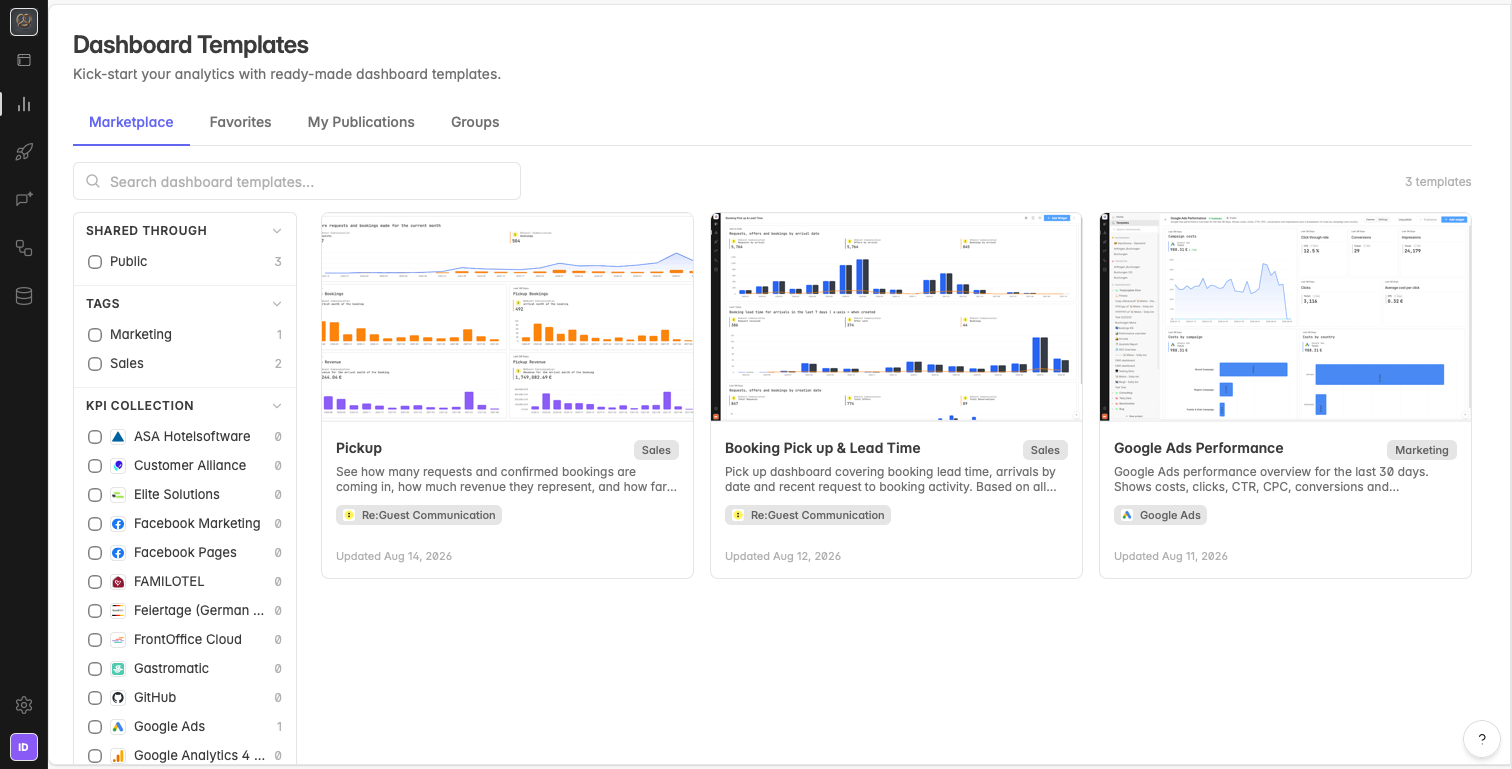
Template Marketplace: Ready Made Dashboards
Browse a library of prebuilt dashboards and apply one in a few clicks instead of building every dashboard from scratch. Pick a template that fits your use case and add it to your space.
The marketplace is also open for your own work:
Publish your own dashboards to the marketplace for others to use.
Or create internal groups, for example for an agency or for several properties, and share dashboards only within your own spaces instead of publicly.
You can find the Template Marketplace under Analytics → Templates.
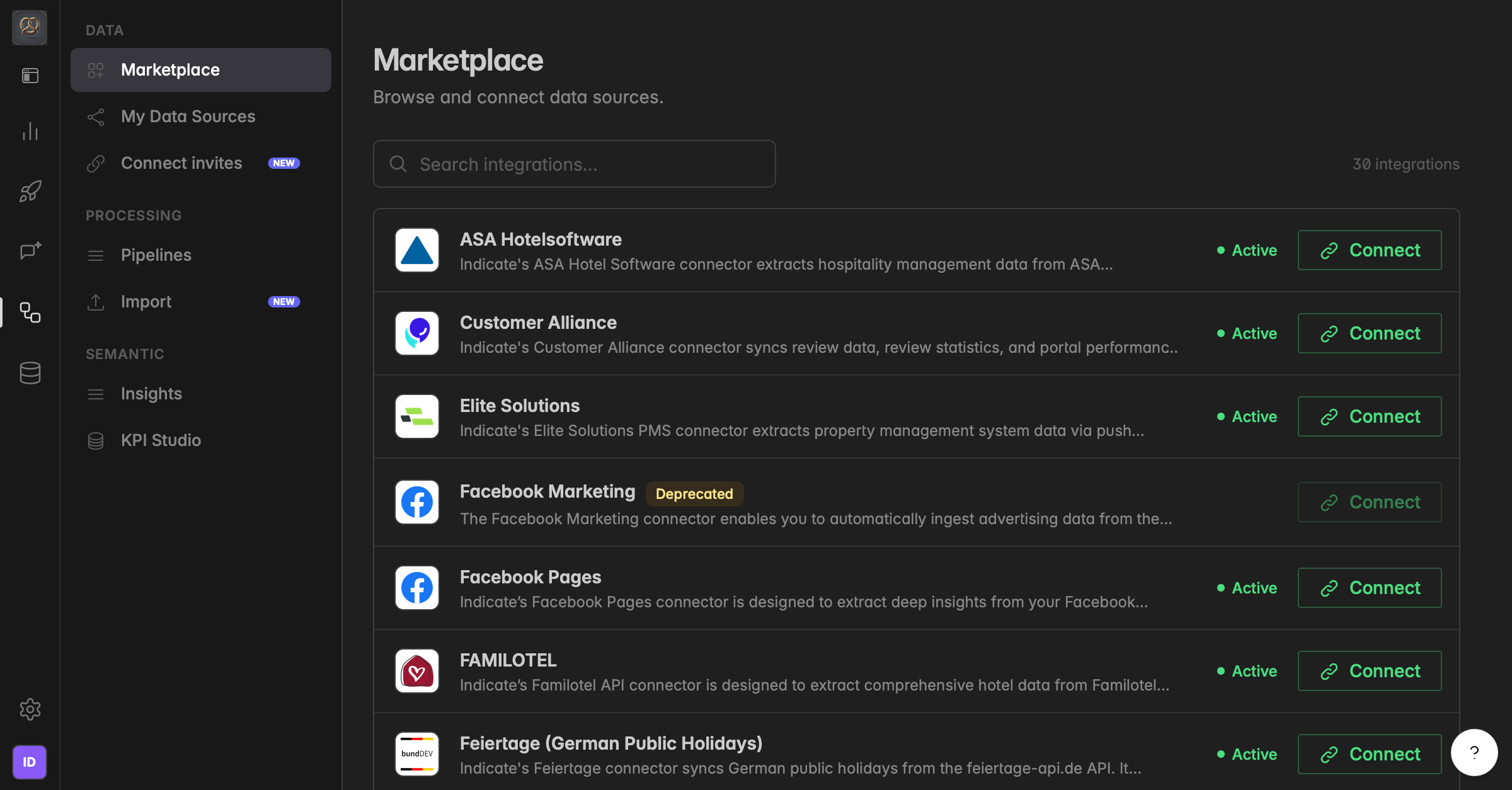
Meta Ads Connector: New Connection and New Metrics
The Meta connector has been rebuilt on a new data model and API with a wider set of metrics and dimensions. The previous Meta connector (Facebook Marketing) is now deprecated and will be switched off on November 1. You can no longer create a new connection with the old Facebook Marketing connector. Please connect the new Meta Ads connector instead.
We have already migrated all existing connections to the new Meta Ads connector for you, so your data keeps syncing without interruption. Please verify that everything works as it should for your new Meta Ads connections.
👉 If you have built dashboards with the Facebook Marketing connector, please switch your dashboard sources to the new Meta Ads connector before November 1. To do this, swap the data source on each dashboard to the new Meta Ads connector. Historic data stays available and readable.
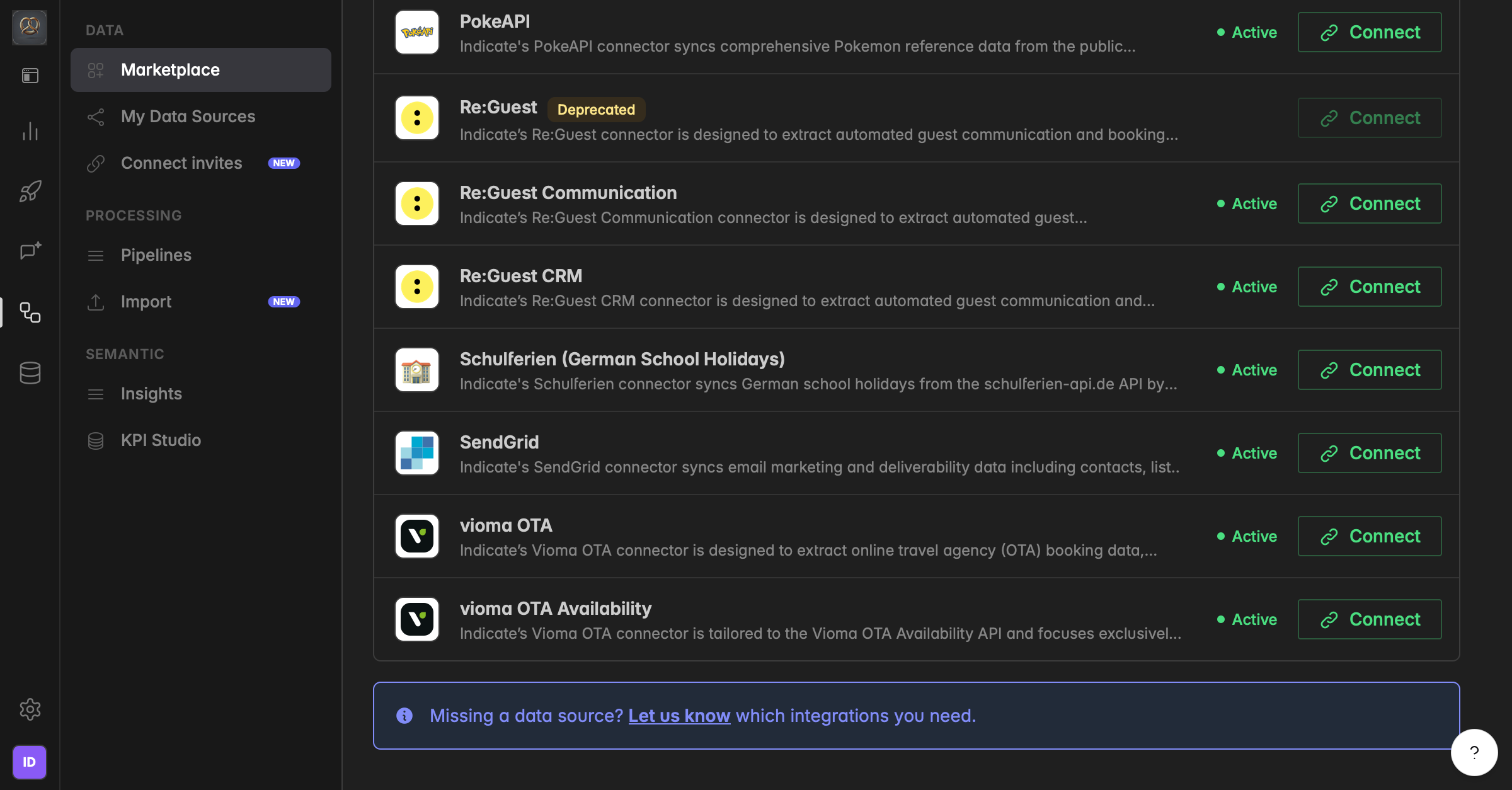
Re:Guest Communication Connector: More Metrics
The Re:Guest connector is now deprecated and will be switched off on November 1. Its replacement is the Re:Guest Communication connector. You can no longer create a new connection with the old Re:Guest connector. Please connect the Re:Guest Communication connector instead.
Please migrate all existing connections to the Re:Guest Communication connector, so your data keeps syncing without interruption.
👉 If you have built dashboards with the Re:Guest connector, please switch your dashboard sources to the Re:Guest Communication connector before November 1.
The Re:Guest Communication connector includes everything from the previous Re:Guest connector, plus 15 additional KPIs.
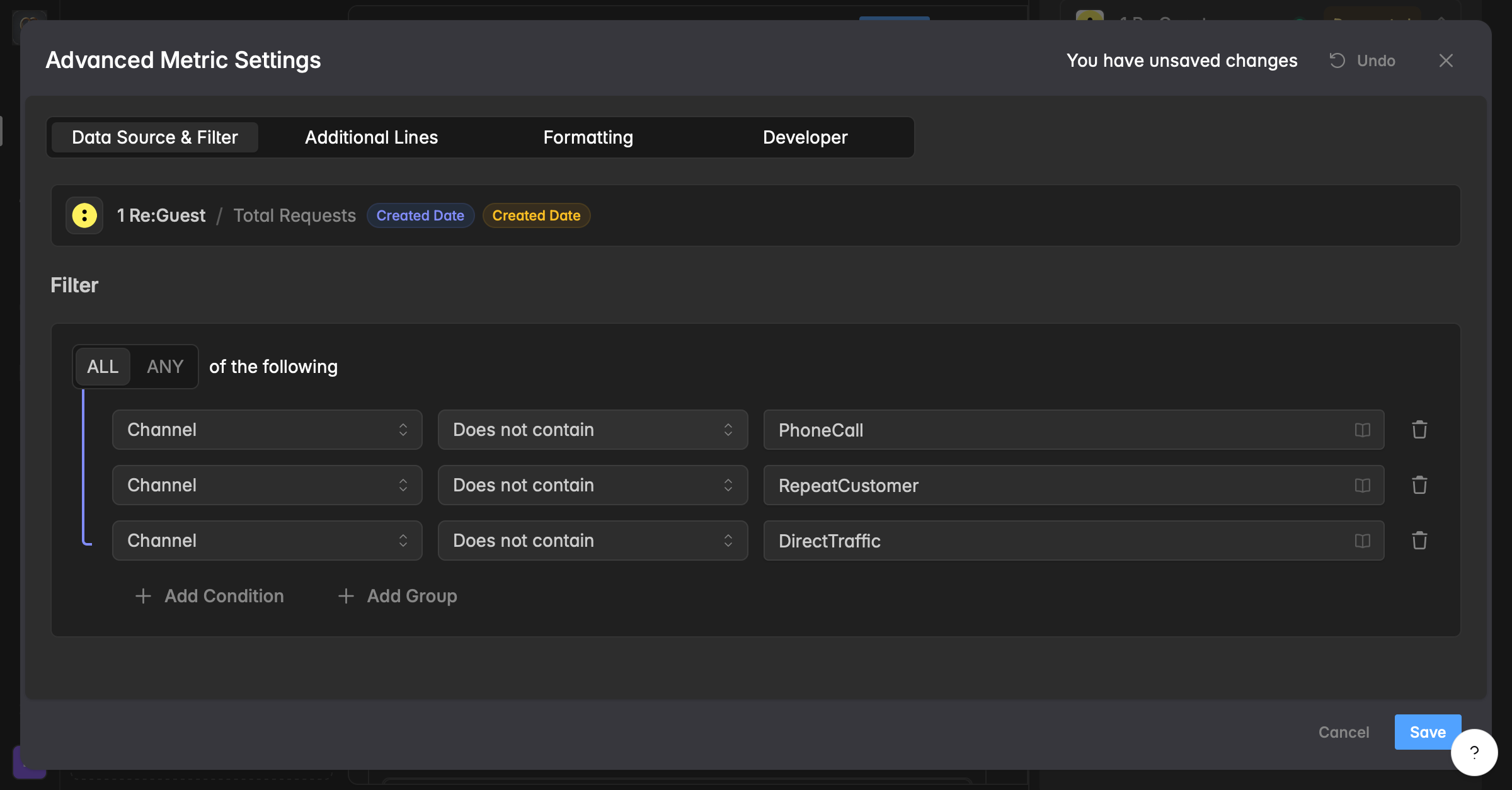
New: Does Not Contain Filter
Filters now support a "Does not contain" option. Use it to exclude records whose text field holds a given value, for example, hide every campaign with "Test" in its name.
You can find it on your dashboards by clicking on a widget, then navigating to the right sidebar (widget designer) under Advanced Options → Data Source & Filter tab. Click on the little booklet icon 📖 to see all filter options in a dropdown, or type whatever value should not be included.
Learn more about filters here.
New Dashboard Grid: Smoother Layout
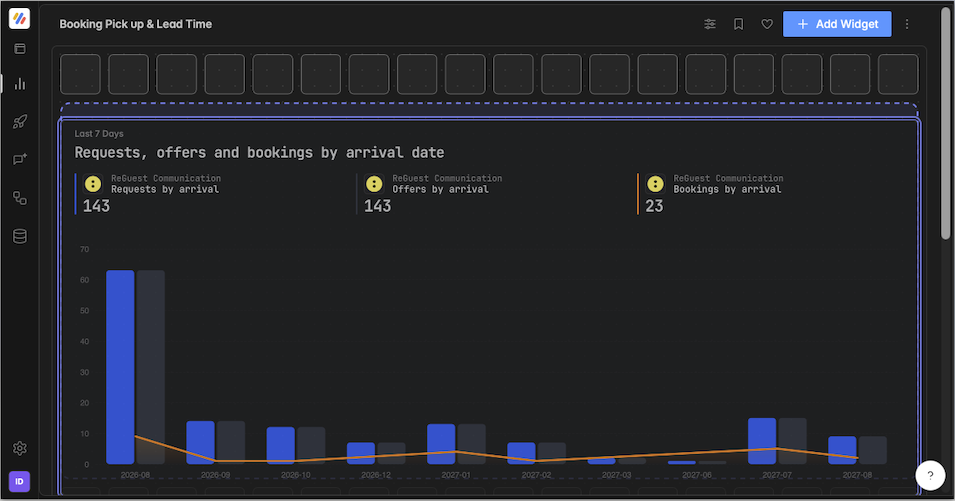
Dashboards now run on a new grid for placing, moving, and resizing widgets.
Improvements
Combo box search inputs accept spaces, making searches easier
Activation flow adds a privacy consent checkbox.
CSV imports support files up to 200MB.