
Indicate changelog
Widget Designer Redesign, New Home Screen
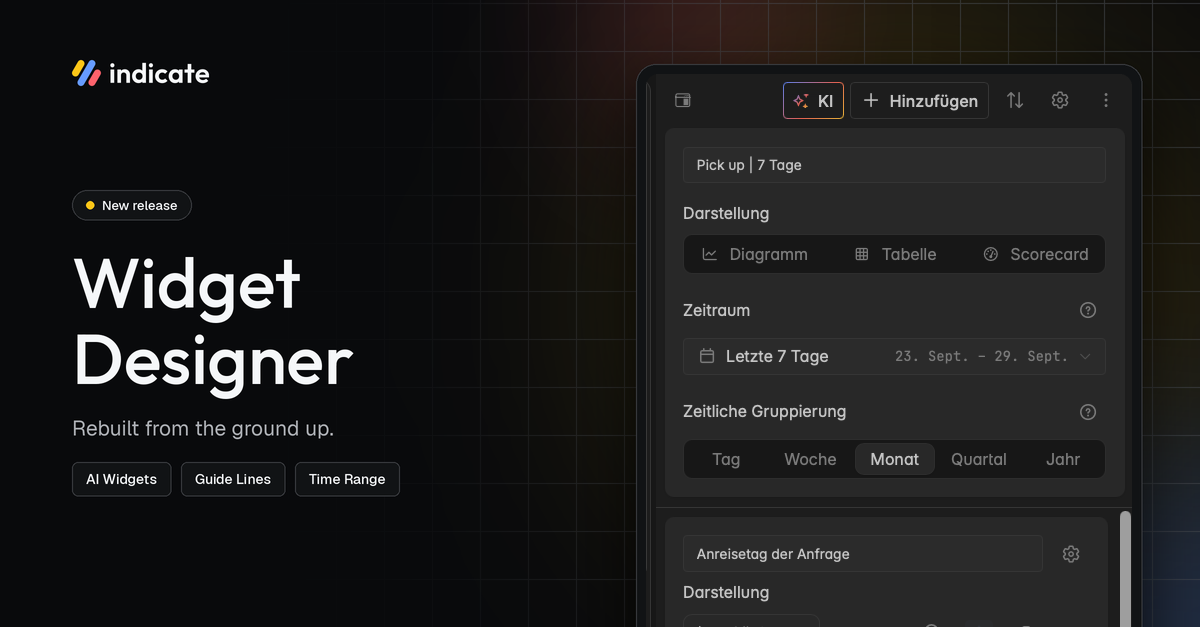
New Widget Designer
We rebuilt the entire widget designer from the ground up. You get a lot of new functionality. Building a widget feels faster and clearer from the first click.
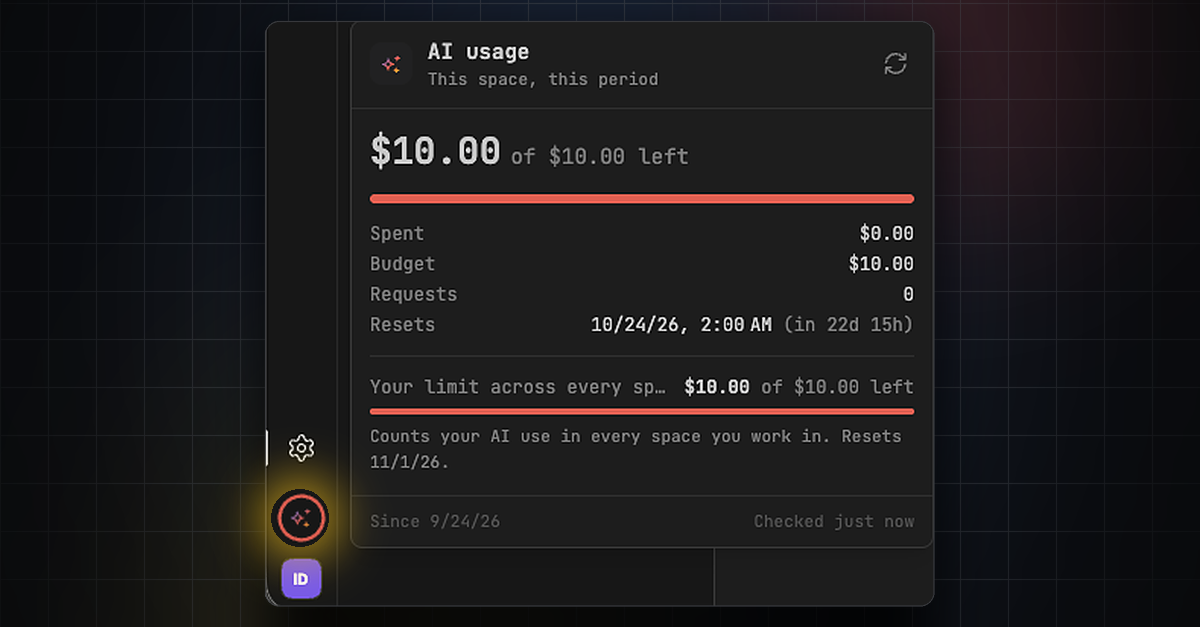
AI Usage: Higher Budget and New Models
Resi, our new AI agent, has been so well received that we are raising the included AI budget per space. Thank you for all the positive feedback! 😍
Starting today, October 1, every space on Core plans and above gets a free AI allowance of $10 per 30 days. Any single person can still use up to $10 of AI per 30 days across all their spaces (these limits are subject to change.)
You can now also choose from two new Claude AI models:
Sonnet 5.5
Opus 5.5
Review your AI usage by clicking the icon above your profile picture. You can also check your usage in Settings → Billing → AI usage.
👉 Find more information here.
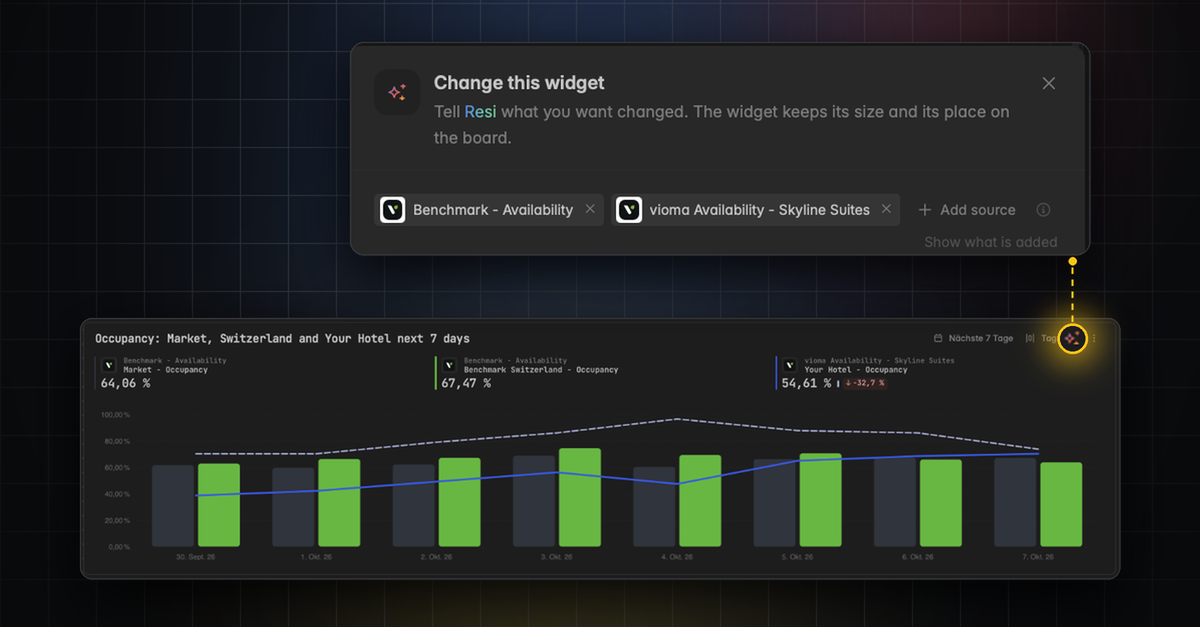
AI Widgets: Create and Edit from a Prompt
Build and change a widget by describing what you want in plain language. When you edit with AI, the prompt is prefilled with the widget's own sources, so you refine without repeating yourself. Until now, you had to rebuild the entire dashboard with AI to edit a single widget.
👉 You can find this in the widget builder and via the small colorful sparkle icon ✨ on every widget.
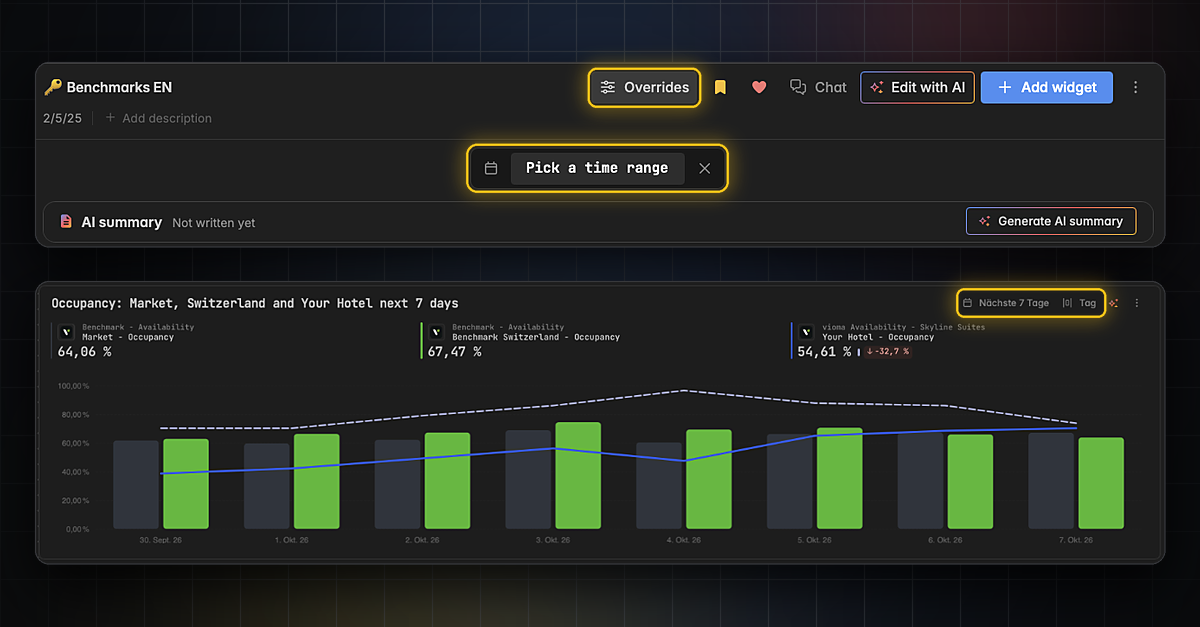
Temporarily Adjust Time Range and Granularity on Dashboards and Widgets
Quickly change the time range and time grouping (day, week, month,…) for a whole dashboard or a single widget. Your change is temporary: click the X to reset it. To change the time range permanently, use the widget designer.
👉 For a whole dashboard, click Overrides in the dashboard header and then Pick a time range. For a single widget, use the time range and grain in the top right corner of the widget.
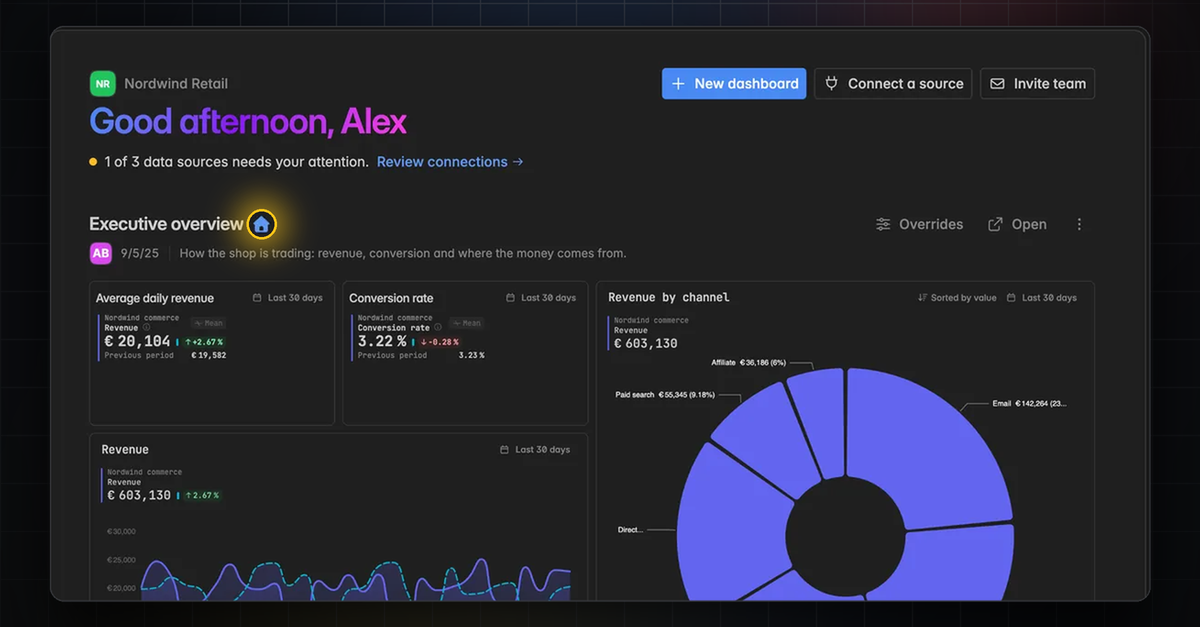
New Home Screen and more Dashboard Features
Your dashboards are now easier to share and manage.
Set any dashboard as your space's home screen.
See a dashboard's author in its header.
Edit or add a dashboard's description.
👉 You can set the home screen in Analytics → Home and learn more about dashboards here.
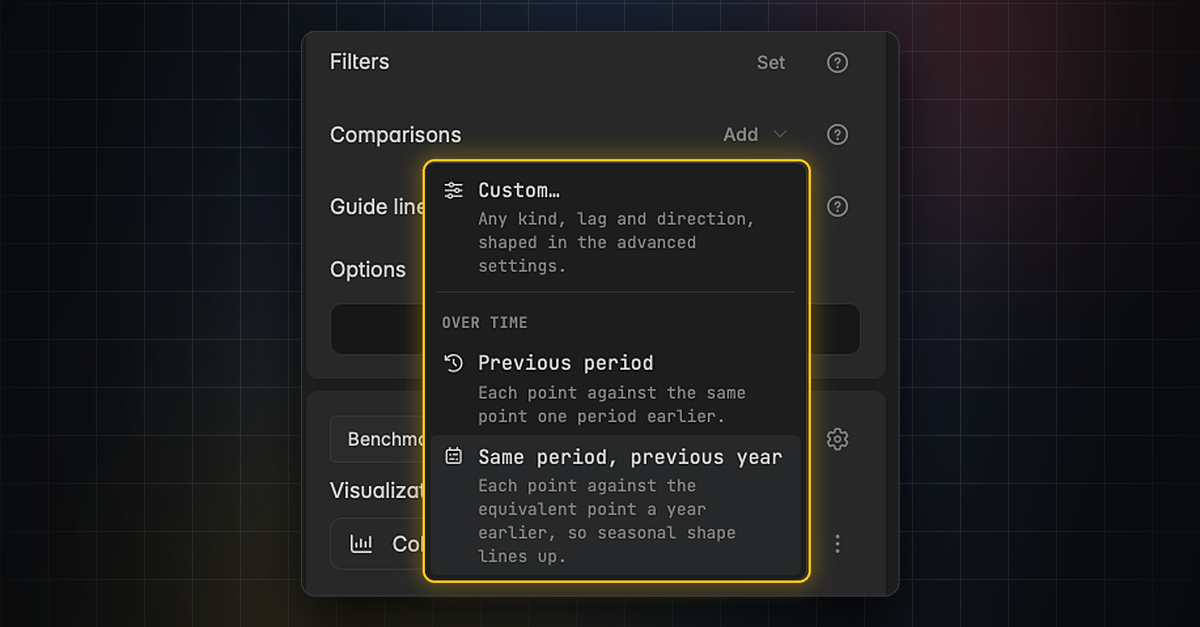
New Comparisons and Guide Lines
Reference lines are now called guide lines and are easier to set up.
Add a comparison by name, including against a guide line.
Set a comparison's polarity from the series row.
Use guide line presets, each named after the level it draws.
Want to See All Our New Features?
Here is the video from our last changelog:
👉 📹 VIDEO RELEASE UPDATE (German only)