Docs / Dashboard
Favorite a dashboard
Learn how to mark a dashboard as a favorite so you can access it quickly from the sidebar.
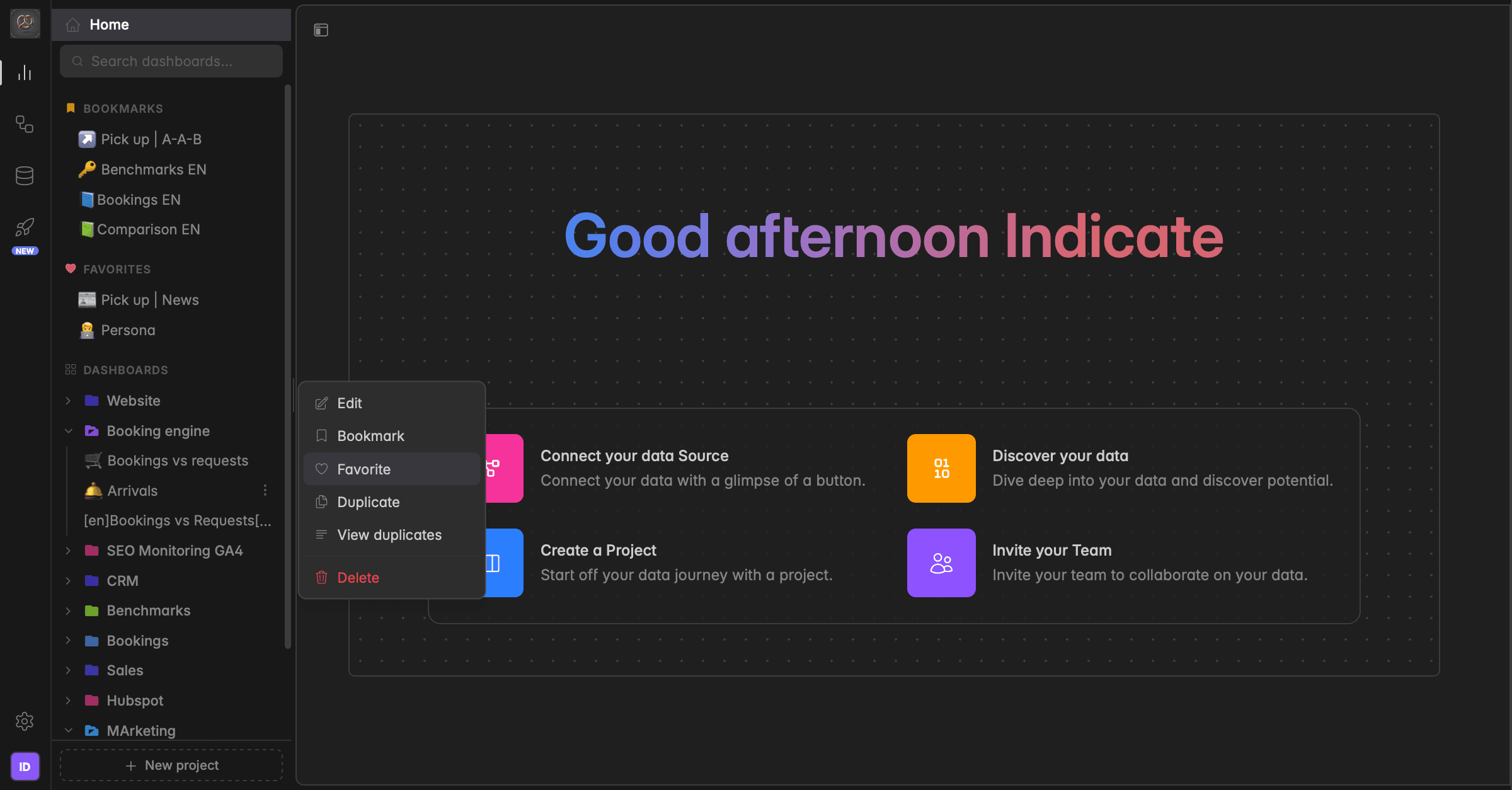
What is a favorite?
A favorite in Indicate marks a dashboard with a heart icon and adds it to the FAVORITES section at the top of your sidebar. Use favorites for the dashboards you want to highlight and find quickly.
Favorite vs Bookmark
Favorite is only visible to you. It affects your own sidebar.
Bookmark is visible to everyone in the space.
How to favorite a dashboard
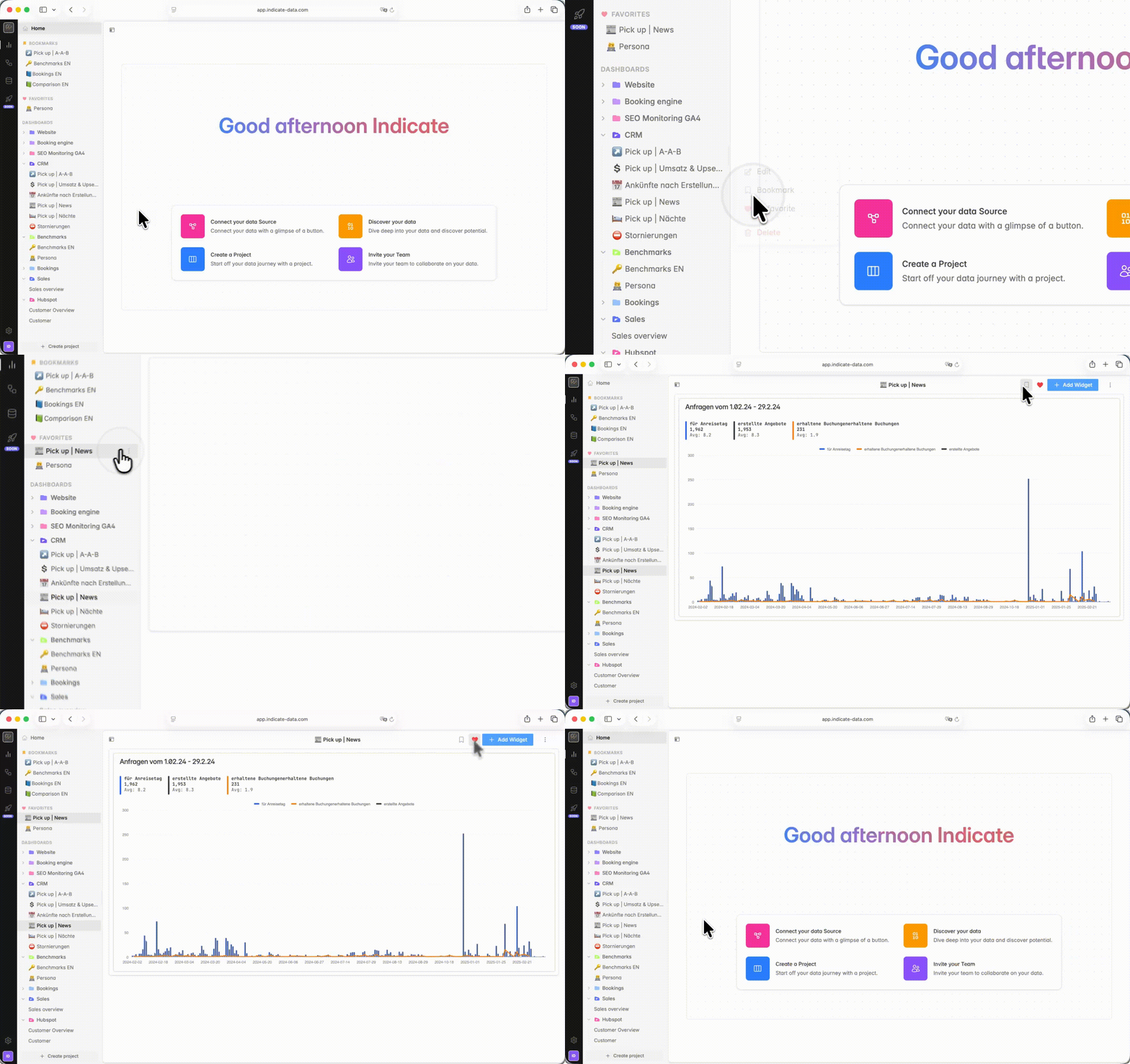
There are two ways to favorise your Dashboards.
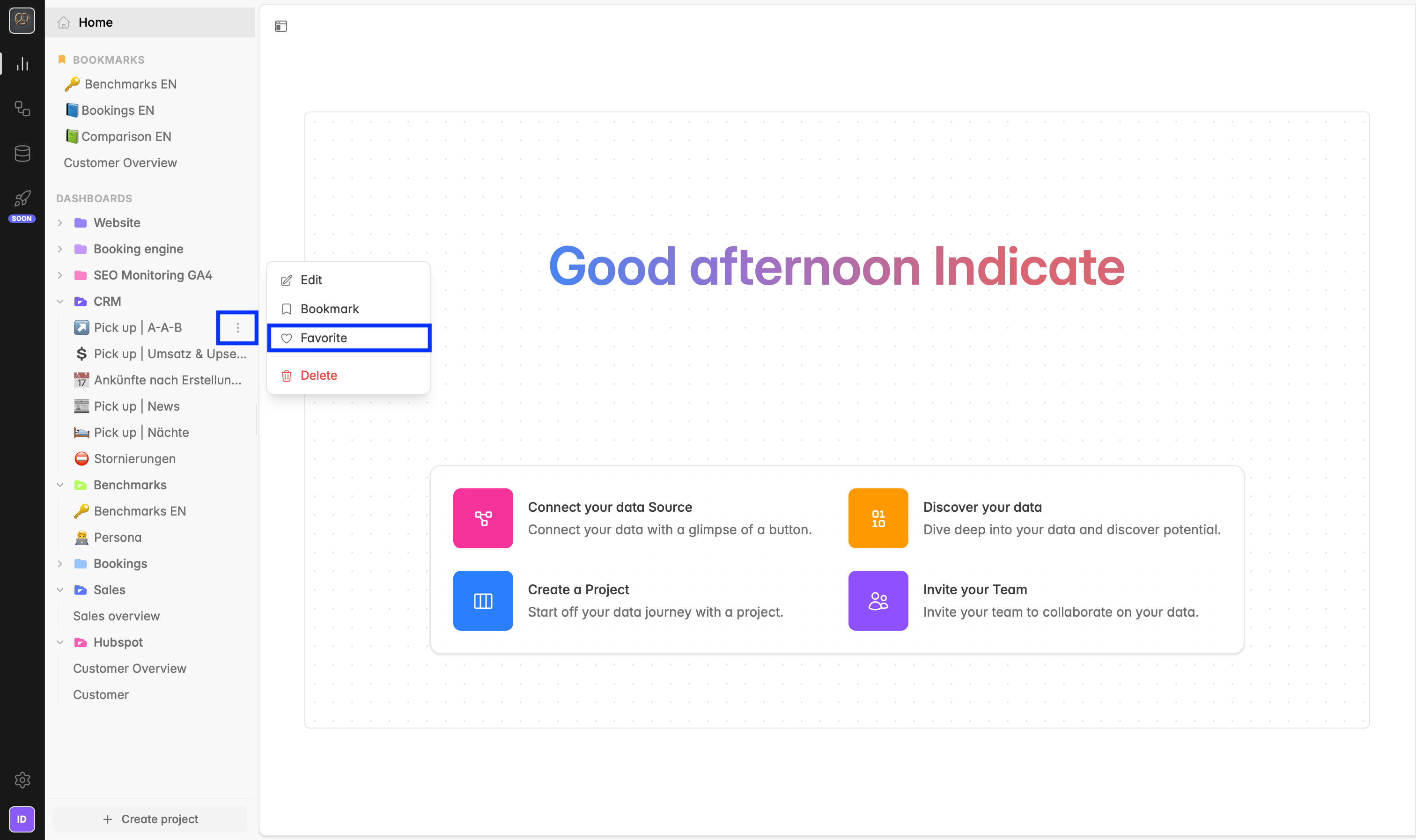
Option 1:
Go to the dashboard name you want to mark as a favorite.
Click the ⋯ icon next to the Dashboard name.
Select
Favoritefrom the menu. The dashboard now appears under FAVORITES in the left sidebar.
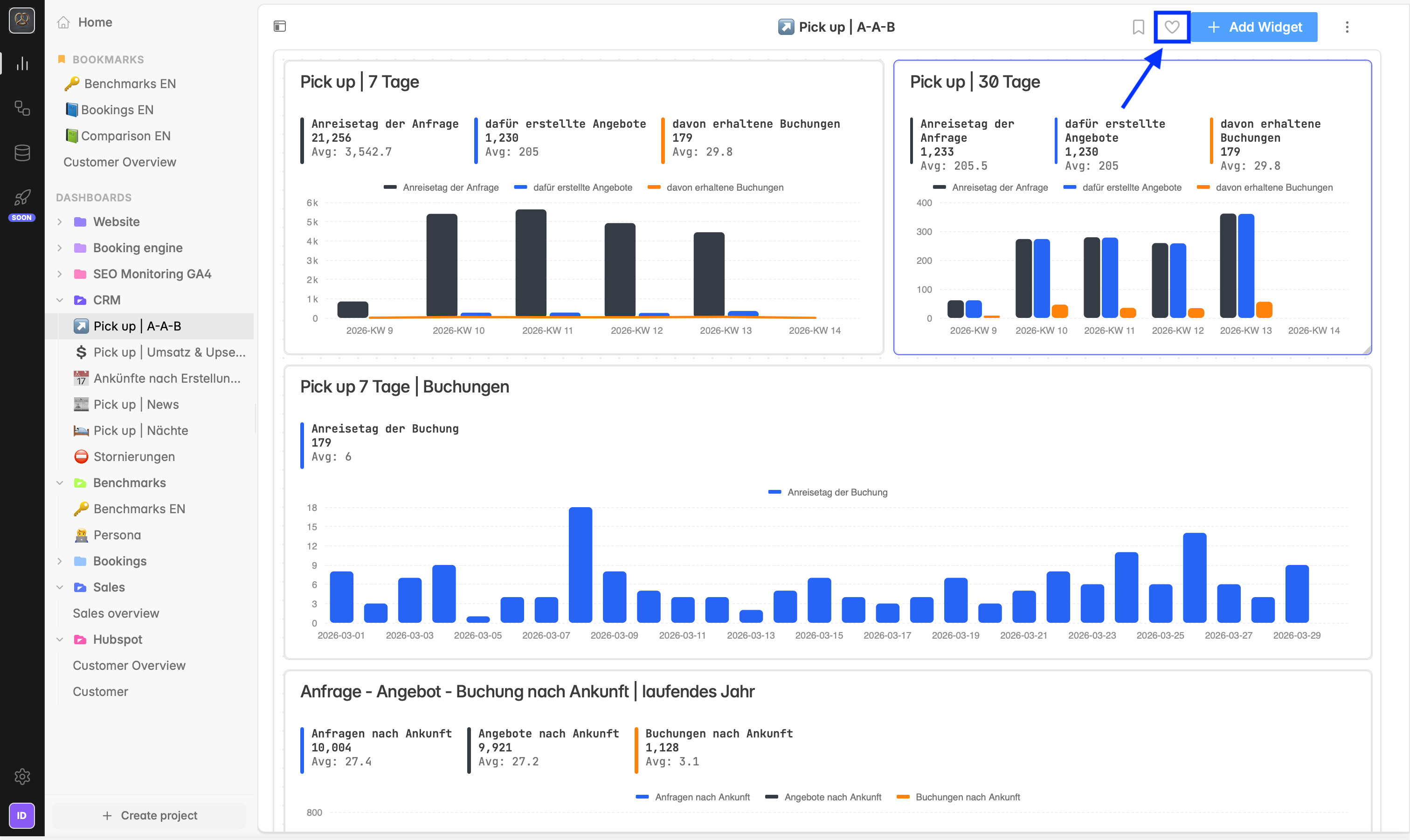
Option 2:
You can also favorite a dashboard by clicking the heart icon :heart-solid: in the top-right corner, next to Bookmark and + Add Widget .
How to unfavorite a dashboard
Unfavoriting works the same way as favoriting.
👉 There are two ways to unfavorite your dashboards.
Option 1:
Go to the dashboard name you want to remove from Favorites.
Click the
⋯icon next to the Dashboard name.Select :heart-solid:
Unfavoritefrom the menu. The dashboard is removed from FAVORITES in the left sidebar.
Option 2:
Click the heart icon :heart-solid: again in the top-right corner to unfavorite it.
Was this helpful?