
What this lets you do
Once Claude is connected to Indicate, you can ask about your data in everyday language. You get an answer from your Insights right away. Two examples: How full are we in the coming weeks? and Which room types earn the most?
Before you start
You have the Admin role in your Indicate space.
For Claude AI: A Claude plan that allows custom connectors, and the right to add them. If you are not sure, ask whoever manages your Claude account.
For Claude Desktop or Claude Code: The app or the Claude Code CLI is installed. Claude Desktop on macOS also needs Node.js 18 or newer.
How do I connect Claude to Indicate?
You start in Indicate, under Settings → Space. There are two ways, depending on where you use Claude:
| You use… | Connect with | Good for |
|---|---|---|
| Claude AI in the browser or the app, with several colleagues | An app with the preset Claude AI | Teams, because everyone signs in with their own Indicate account |
| Claude Desktop or Claude Code on your own computer | An agent token | One person or one computer |
Both ways are billed as seats: An app per connecting user, a token per token. See Apps and Tokens.
Option 1: Claude AI with an app
Create the app in Indicate
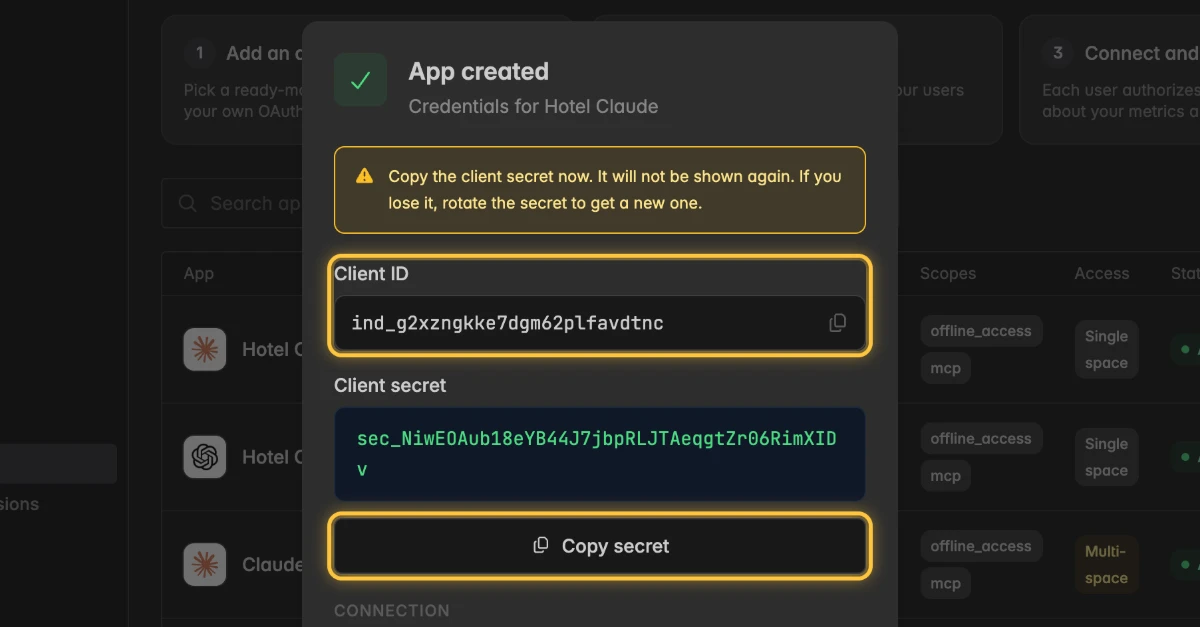
The client secret is shown only once. Copy it before you close the dialog in step 5.
Open
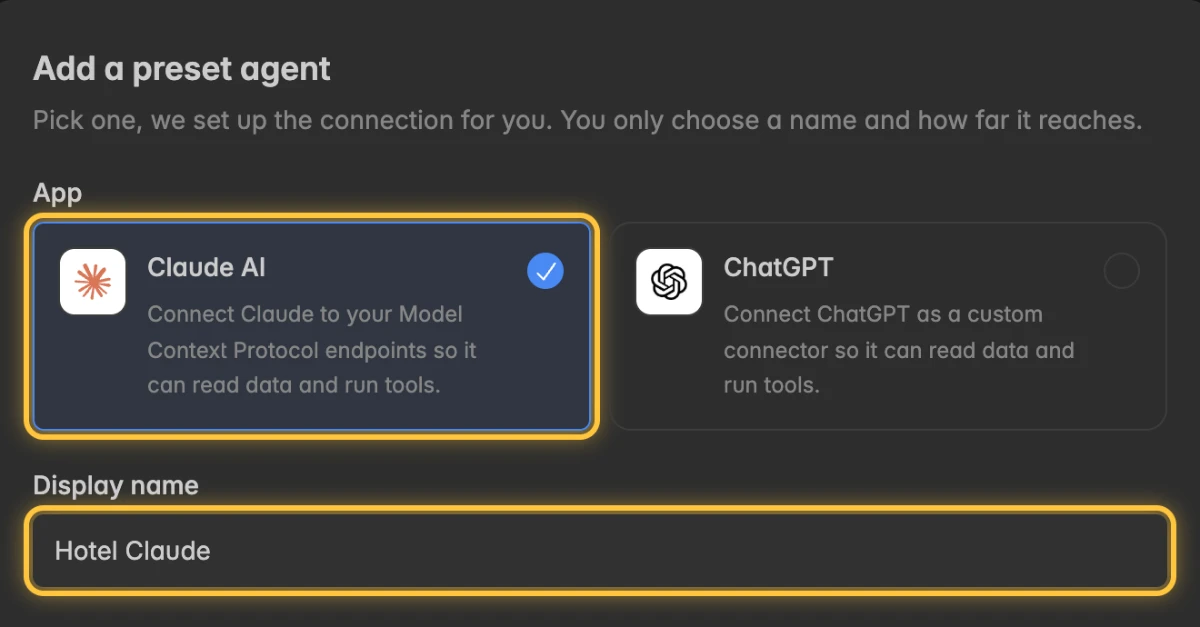
Settings→Space→Appsand click Add app. The dialog Add a preset agent opens.Under App, click Claude AI and enter a Display name, for example Hotel Claude.
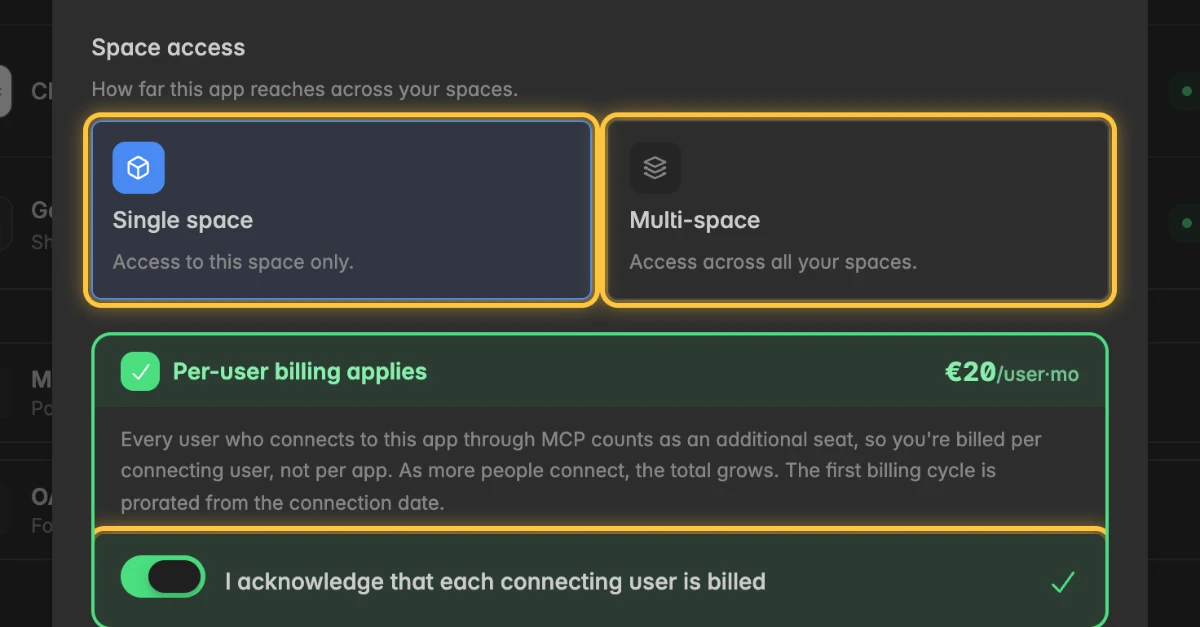
Under Space access, click Single space or Multi-space, and switch on I acknowledge that each connecting user is billed.
Click Create app. The dialog App created opens.
Copy the Client ID and click Copy secret.
Expand MCP server URL and click Copy.
Add the connector in Claude
Claude is not built by Indicate and can change its menus at any time, so the names may differ slightly.
In Claude, open the settings and then the section for connectors.
Choose to add a custom connector.
Enter a name and paste the MCP server URL, https://industry.indicate-data.io/mcp.
Under the advanced settings, paste the Client ID and the Client secret from Indicate.
Save the connector. Claude opens the Indicate sign-in page.
Allow the connection
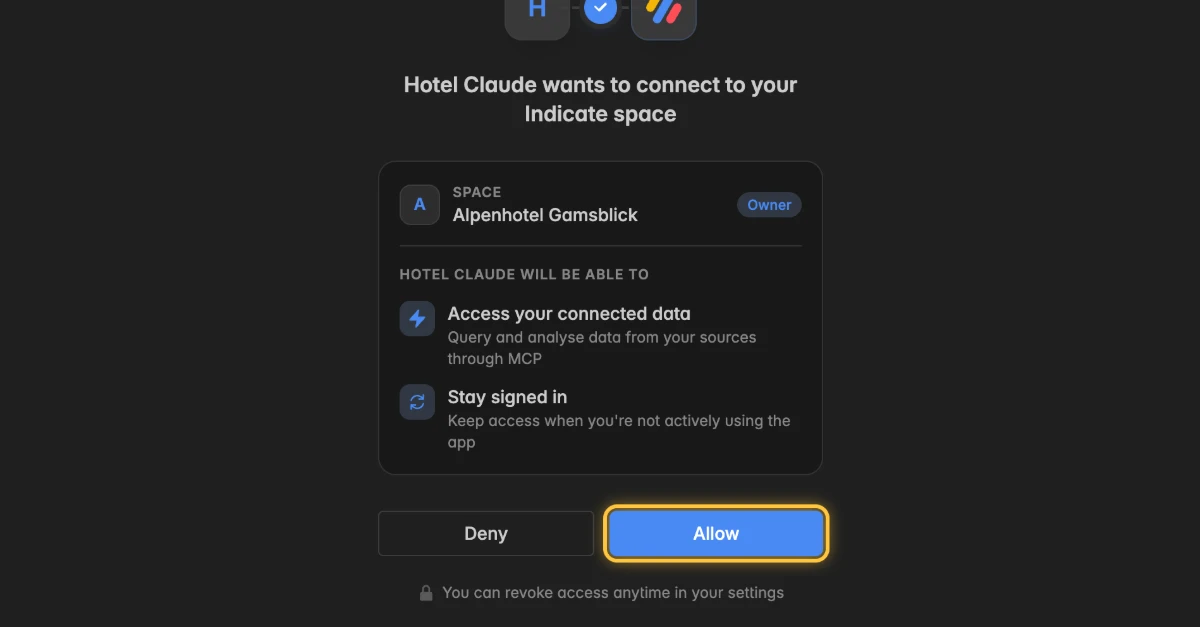
Read what the app may reach and do. The page says, for example, Hotel Claude wants to connect to your Indicate space.
Click Allow.
Back in Claude, switch the connector on in a chat.
Colleagues connect the same way with their own Indicate account. They never need the client secret.
Option 2: Claude Desktop or Claude Code with a token
Create an agent token in Indicate
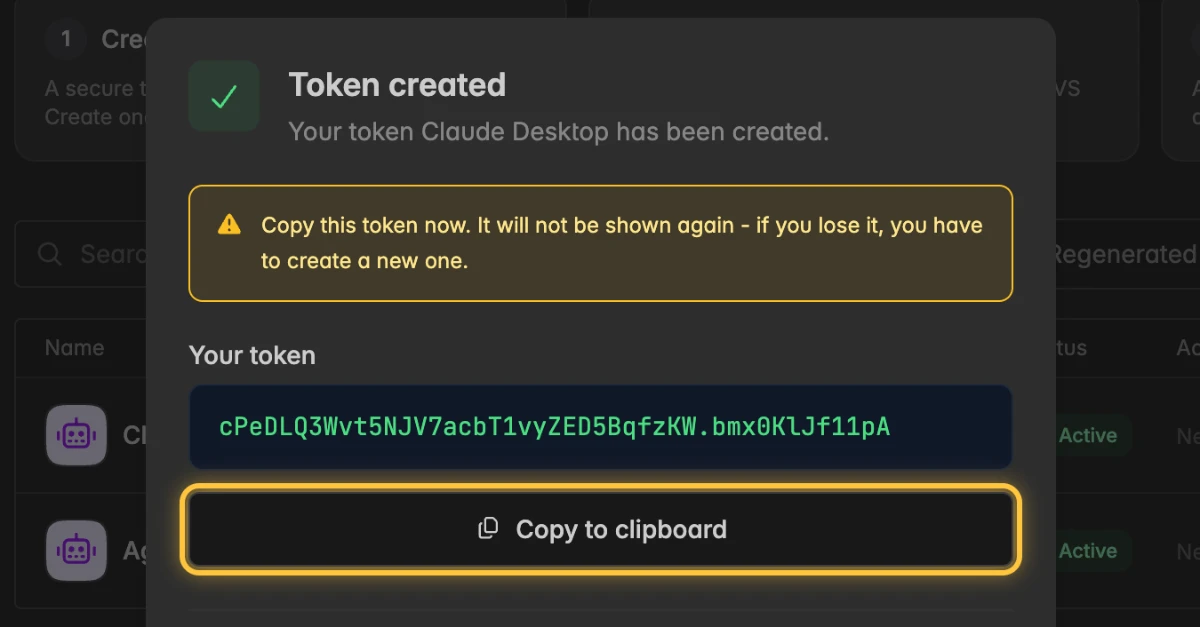
The token is shown only once. Copy it before you close the dialog in step 5.
Open
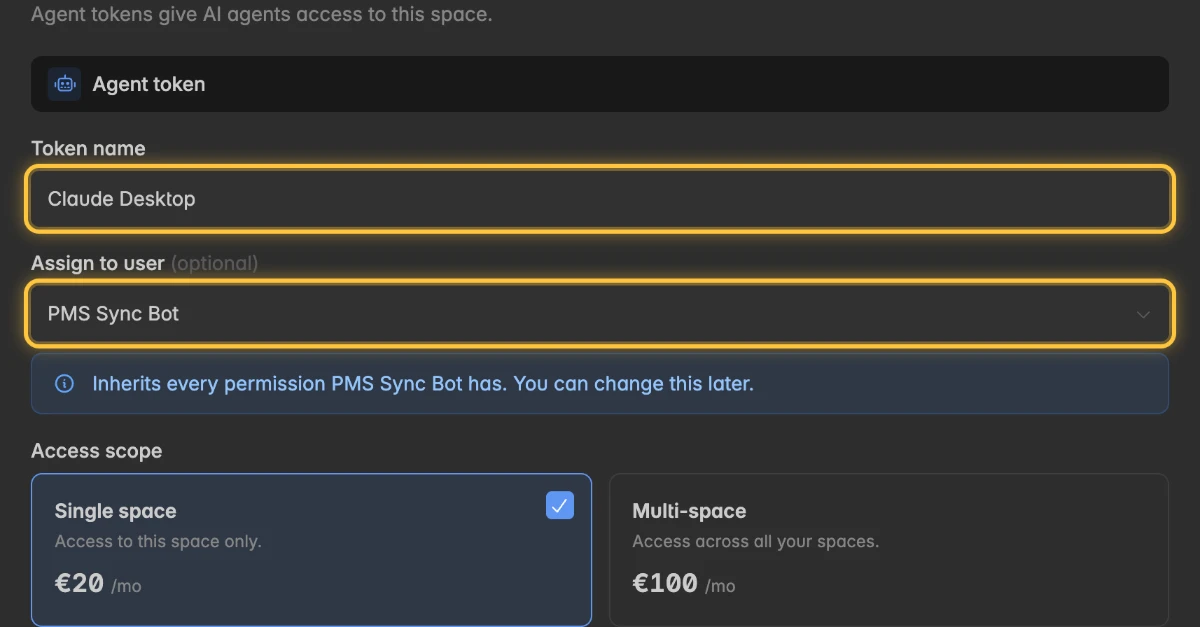
Settings→Space→Tokensand click New agent token. The dialog Create agent token opens.Enter a Token name and, under Assign to user, click the account the token runs as.
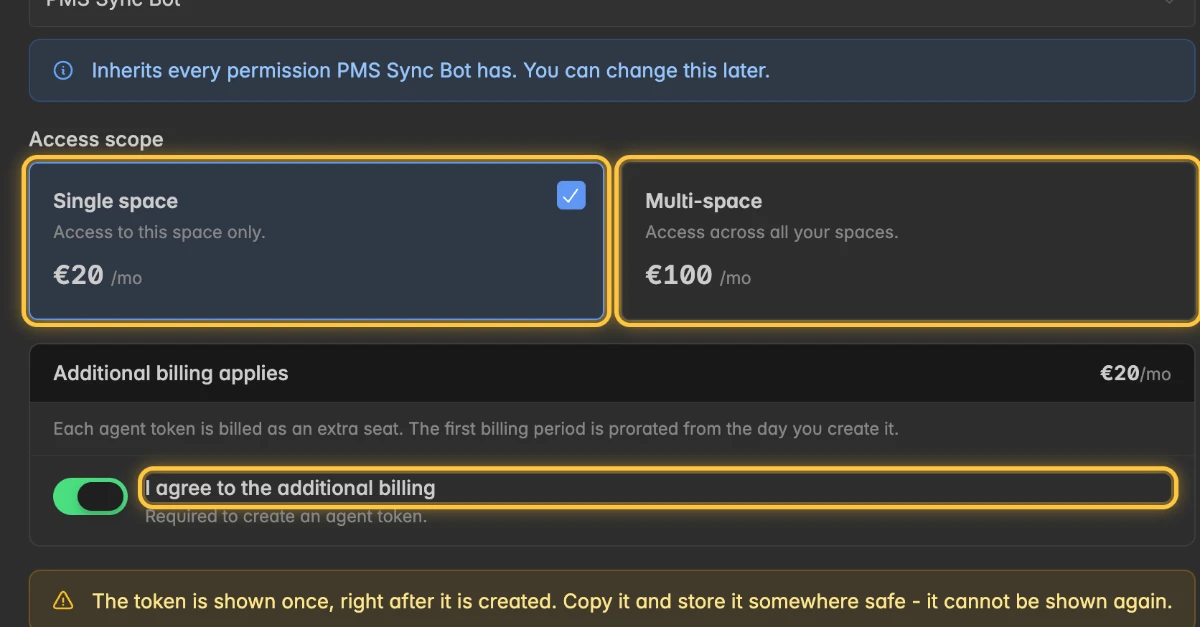
Under Access scope, click Single space or Multi-space, and switch on I agree to the additional billing.
Click Create token. The dialog Token created opens.
Click Copy to clipboard.
Add the server to Claude
The page Tokens shows the exact configuration under Connect your AI assistant.
Click the tab Claude Desktop or Claude Code.
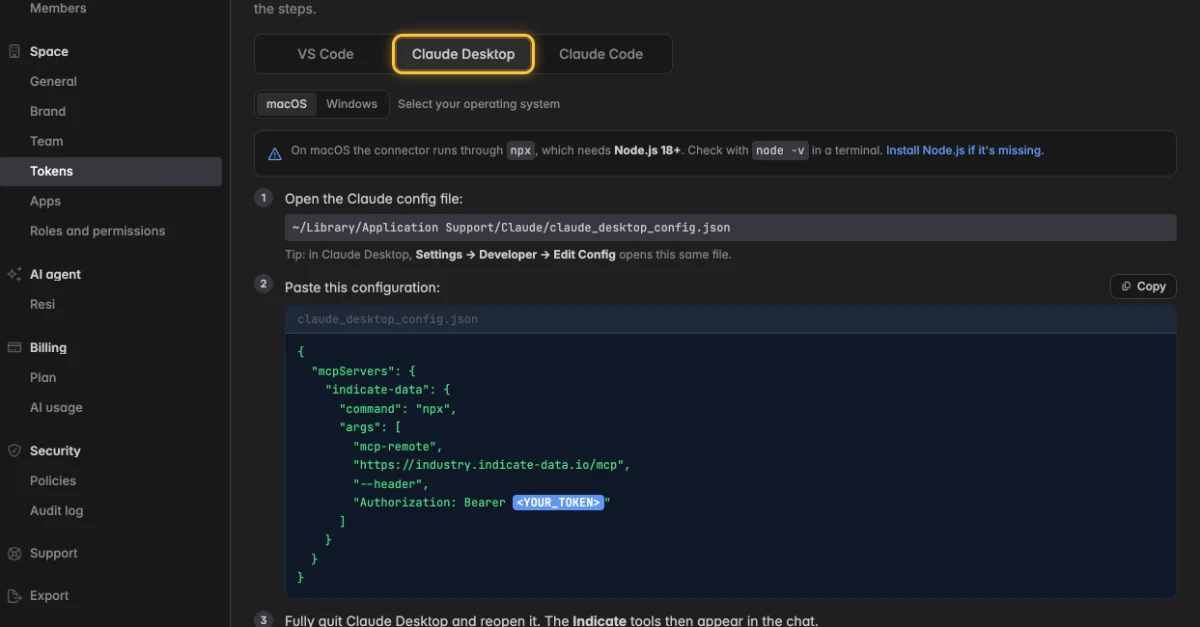
For Claude Desktop: Paste the configuration into the Claude config file and replace <YOUR_TOKEN> with your token. On macOS, the file is ~/Library/Application Support/Claude/claude_desktop_config.json. In Claude Desktop, Settings → Developer → Edit Config opens the same file.
For Claude Desktop, save the file, then fully quit and reopen the app. The Indicate tools appear in the chat.
For Claude Code: Run the command from the tab in your terminal, with <YOUR_TOKEN> replaced by your token. Confirm with claude mcp list, where indicate should be listed.
Keep the word Bearer and the space in front of the token, because the server expects both. To see the configuration of one token again, click the three-dot menu ⋮ of the token, then View mcp.json.
How do I check that the connection works?
Ask Claude Which Indicate space do you have access to? Claude answers with the name of your space.
Ask a real question, for example How many bookings did we get last month? Name the period and the number you care about for the best answers.
How do I disconnect Claude?
Deleting an app or revoking a token cannot be undone. Deleting an app disconnects everyone who uses it.
With an app: Delete the app in Indicate with the three-dot menu
⋮and Delete, or remove the connector in Claude.With a token: Click the three-dot menu
⋮of the token and then Revoke. Or remove the server from the config file, or with claude mcp remove indicate.
Troubleshooting
Why does Claude say it has no access to any data?
With a token: The token is Unassigned, or its account only has the Guest role. Click the three-dot menu
⋮of the token, then Edit, and assign an account with the Reader role or higher.With an app: Your Indicate account has no access to the space. Or the app is set to Single space and you are asking about another space.
Why doesn't Claude Desktop show the Indicate tools?
Fully quit Claude Desktop and reopen it.
Check that Node.js 18 or newer is installed with node -v, because the connector runs through npx on macOS.
Check the JSON for a missing comma, and check that the token follows Bearer with a space.
Should I use an app or a token?
Several people on Claude AI, each with their own login: An app.
Claude Desktop or Claude Code on one computer, or a script: A token.
Can I connect several spaces?
- Yes. Pick Multi-space when you create the app or token, or create one per space.
What do I do if I lost the secret or the token?
App: Click the three-dot menu
⋮of the app, then Rotate secret.Token: Click the three-dot menu
⋮of the token, then Regenerate.Update Claude with the new value. The old one stops working immediately.