

What this lets you do
Deleting a dashboard removes it from the sidebar for everyone in your space, together with all of its widgets. The Insights and the data behind the widgets stay untouched.
Deleted dashboards cannot be restored. Deleting a dashboard also deletes its widgets, but not the Insights behind them.
How do I delete a dashboard?
You can delete a dashboard in two ways: From the sidebar, or directly in the open dashboard.
In the left sidebar, hover over the dashboard you want to delete and click the three-dot menu
⋮that appears. Or open the dashboard and click the three-dot menu⋮at the top right of the toolbar.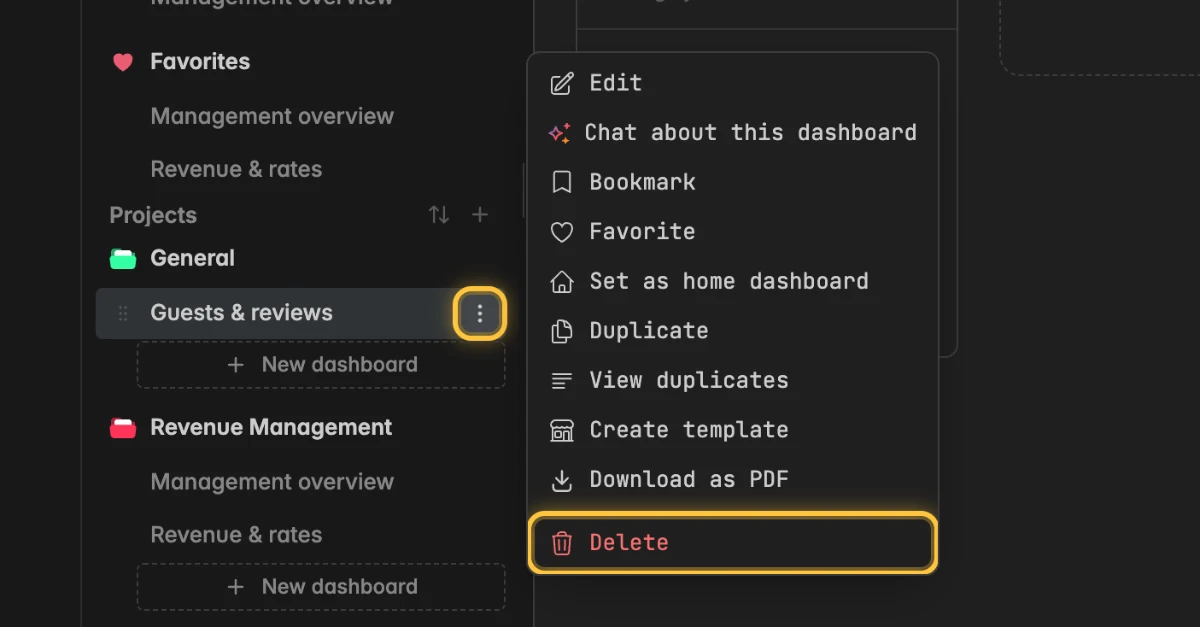
Click Delete.
In the dialog Delete dashboard, click Delete to confirm.
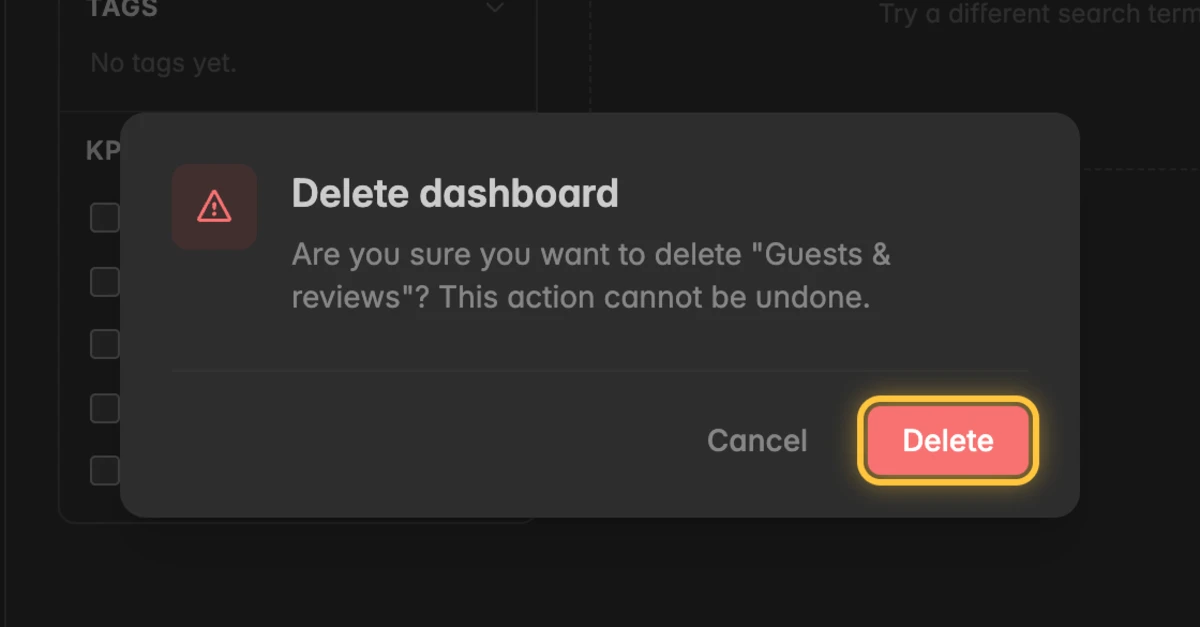
After that, you land on the page Home of your space.
Troubleshooting
Can I restore a dashboard I deleted by accident?
- No, deleted dashboards cannot be restored. Create a new dashboard and rebuild its widgets.
Why don't I see the entry Delete?
- To delete a dashboard, you need at least the User role. Members with the Reader role can open dashboards but not delete them. Ask your space admin to change your role.
How do I remove a dashboard from the sidebar without deleting it?
- Move it to another project instead. Drag it in the sidebar onto the project that should hold it. See Create a project.