

How do I rename a dashboard?
Every dashboard has a display name that is shown in the left sidebar and at the top of the dashboard. You can change it at any time, either directly in the dashboard or through the Edit dialog. The new name appears instantly for all space members.
Option 1: Directly in the dashboard
Open the dashboard.
Click the dashboard name at the top left of the toolbar. A pen icon appears when you hover over it.
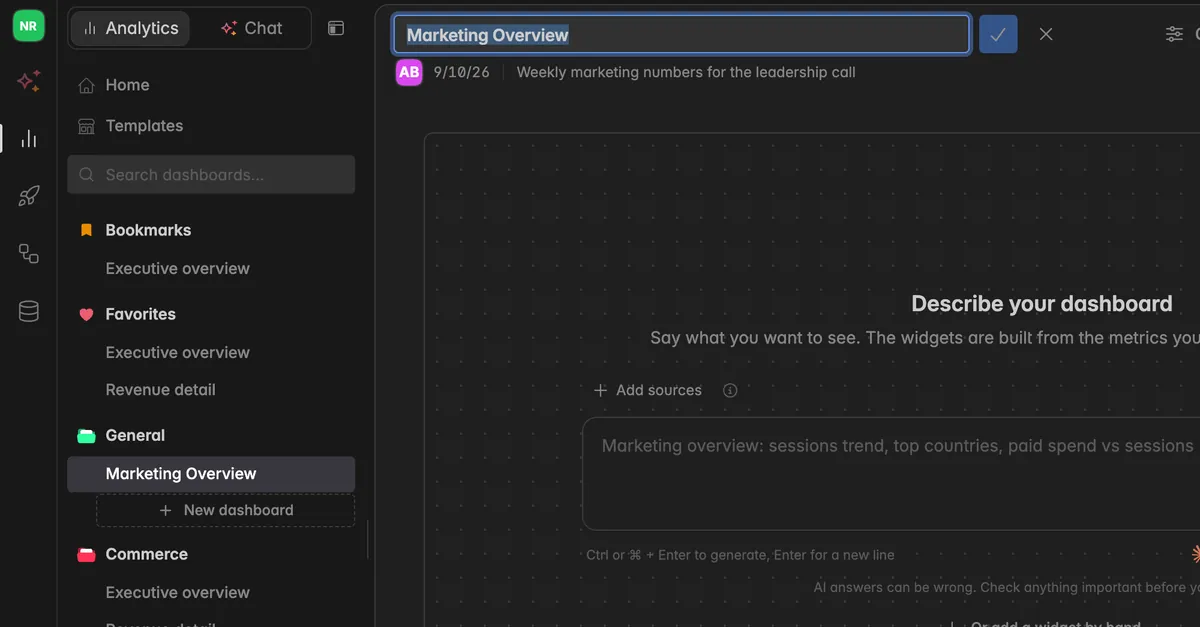
Type the new name.
Press
Enteror click the check mark to save. PressEscor click thexto cancel.
Option 2: From the Edit dialog
In the left sidebar, hover over the dashboard name and click the
⋮icon that appears. Or open the dashboard and click the⋮icon at the top right of the toolbar.Select Edit from the menu. The dialog Edit dashboard opens.
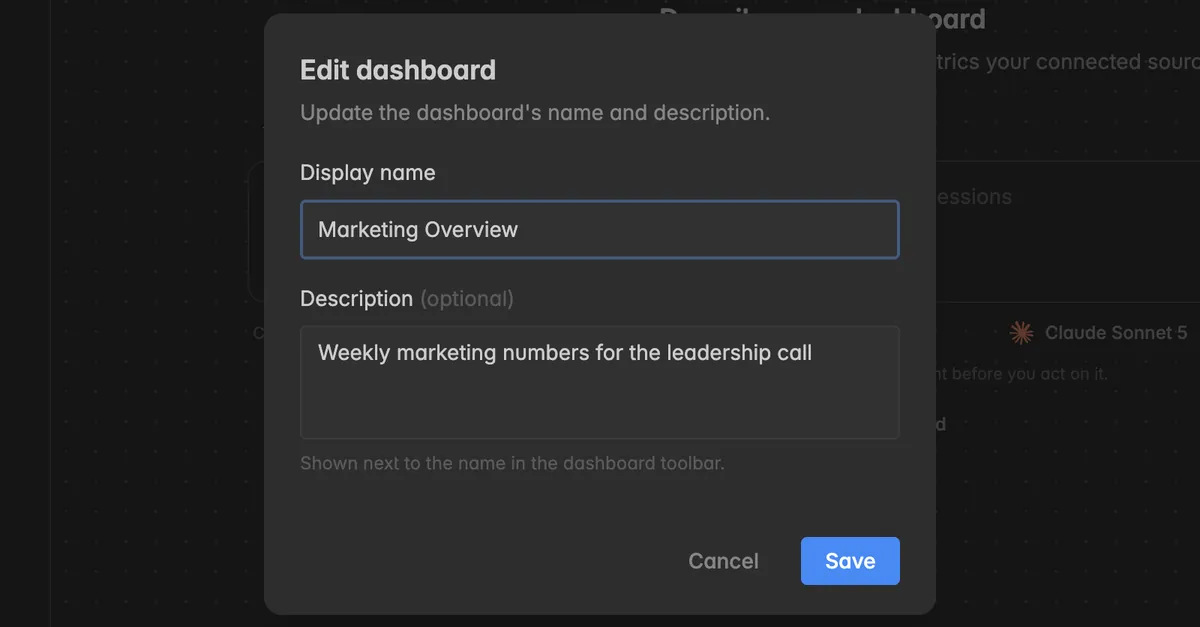
Update the Display name.
Click Save.
Troubleshooting
The new name is not accepted
The name needs at least 3 characters and at most 128 characters. Adjust the name and try again.
I don't see the pen icon or the Edit entry
Renaming requires at least the User role. Members with the Reader role can open dashboards but not change them. Ask your space admin to update your role.
The AI gave my dashboard a strange name
Dashboards built from a prompt are named after the prompt. Rename them as described above, the widgets are not affected. See Create a dashboard.