
Flying KPI
Send a dashboard by email on a daily, weekly, or monthly schedule, with an optional AI summary, and manage the reports.
What is a Flying KPI?
A Flying KPI is a dashboard sent by email on a schedule: daily, weekly, or monthly, to the people you pick. Your team gets the numbers in their inbox without opening Indicate, for example the Monday commerce digest for the management team.
One report sends one dashboard. Create several reports for several dashboards or audiences.
Recipients can be members of the space or any email address.
Optionally the report includes an AI summary, the key insights written by Resi.
Creating and managing reports needs the User role or higher. Readers can open the page and see the list.
Where do I find Flying KPI?
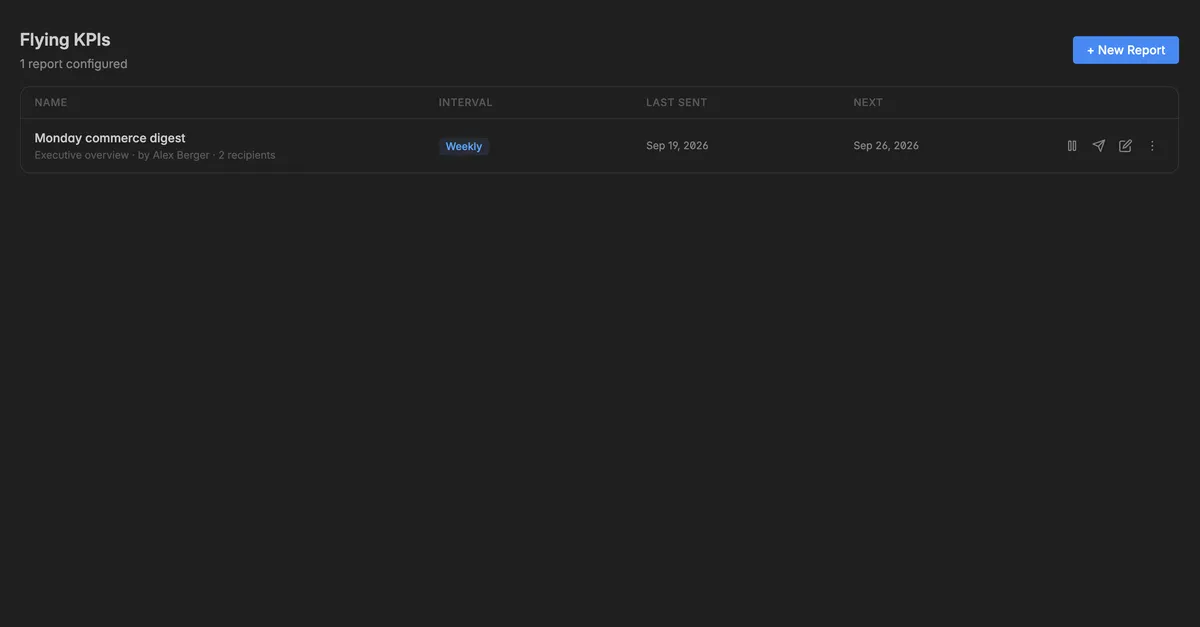
Click the paper-plane icon in the left rail, Flying KPI. The page Flying KPIs lists every report of the space with its Name, the dashboard it sends, who created it and how many recipients it has, its Interval, when it was Last sent, and when it goes out Next.
How do I create a report?
On the Flying KPIs page, click + New Report. On an empty page the button reads Create your first report.
In the dialog New Flying KPI, enter a Name, for example
Weekly revenue pulse. It is the subject your recipients recognise.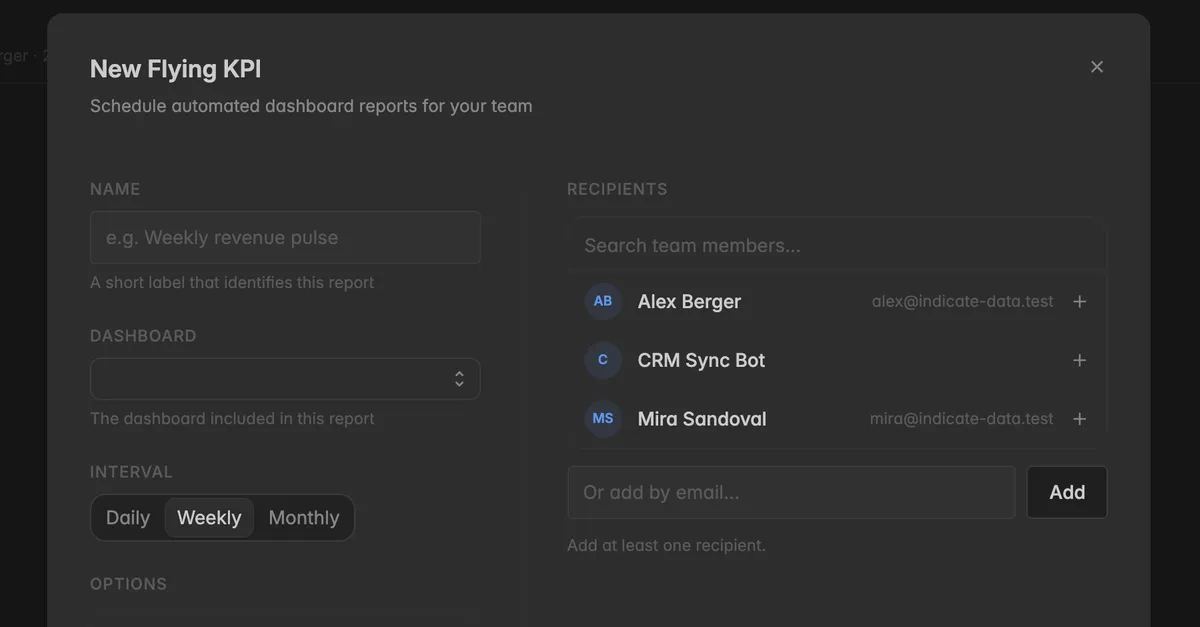
Pick the Dashboard the report sends.
Pick the Interval: Daily, Weekly, or Monthly.
Under Options, switch on AI Summary if the email should include AI-generated key insights.
Under Recipients, click the + next to a team member, or type an email address into Or add by email and click Add. Add at least one recipient. Click the
xnext to a recipient to remove them.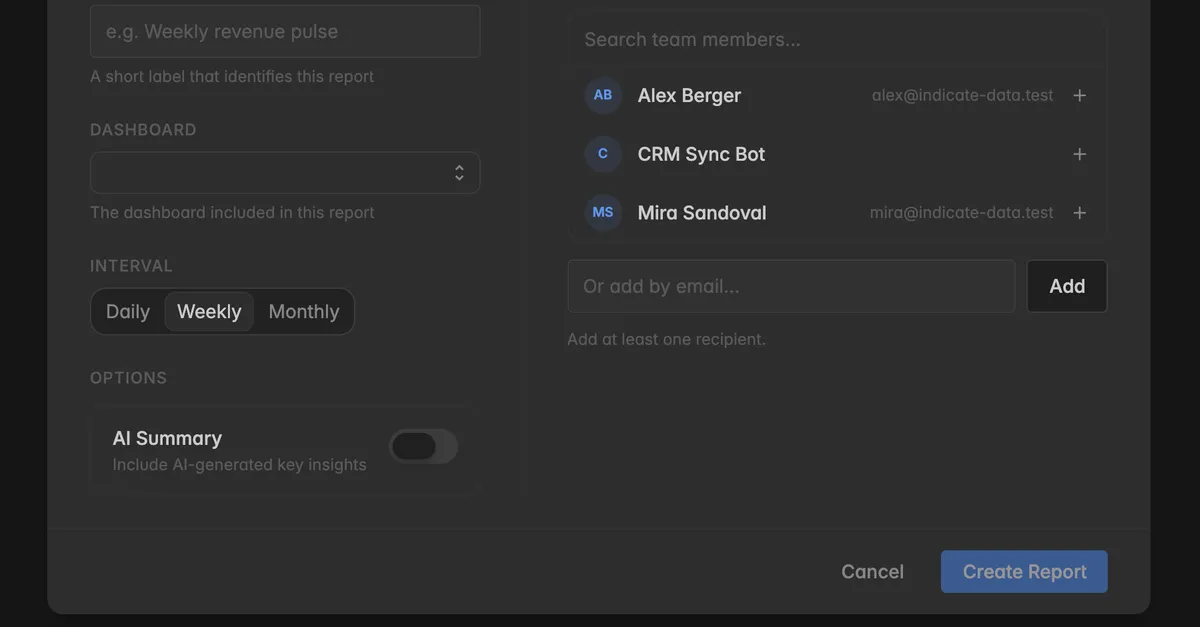
Click Create Report.
The report appears in the list with the next send date.
How do I manage a report?
Hover over a report. Four icons appear at the right end of the row, and the ⋮ icon opens the same actions as a menu:
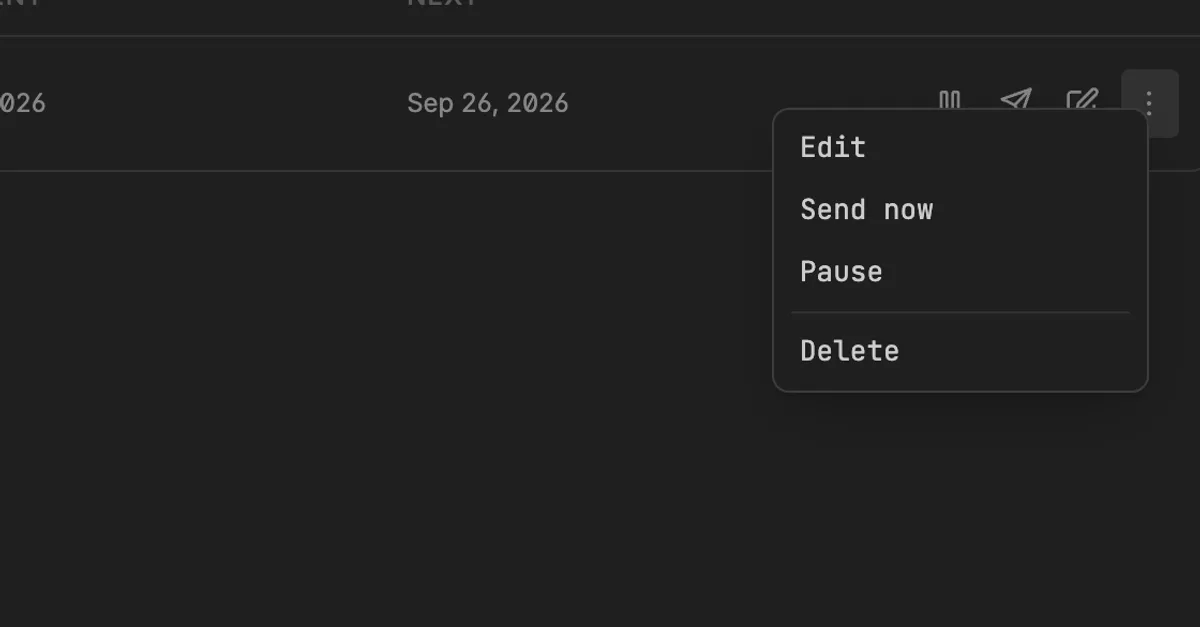
Pause report: stops the schedule. The row turns grey with the badge Paused and no next date. Click Resume report to start it again.
Send report now: sends the report immediately, outside the schedule. Not available while the report is paused.
Edit report: opens the same dialog as when creating it. Change the name, the dashboard, the interval, the AI summary, or the recipients, and click Save.
Delete: removes the report. The dashboard stays.
Troubleshooting
+ New Report is missing
- Creating reports needs the User role or higher. Ask a space admin.
A recipient did not get the email
- Check the address in Edit report. Ask them to check their spam folder. Click Send report now to send a test.
The report shows old numbers
- The email shows the dashboard as it was at send time. If a connection has not synced, the numbers are as old as the last sync, see Sync and activity.
The dashboard I want is not in the list
- Only dashboards of this space are offered. Create it first, see Create a dashboard.
Can I send a report to someone outside the space?
- Yes. Type their email address under Or add by email. They get the email, not access to Indicate.
Was this helpful?