
Support
Let the Indicate support team open your space while they work on your request.
What is the Support page?
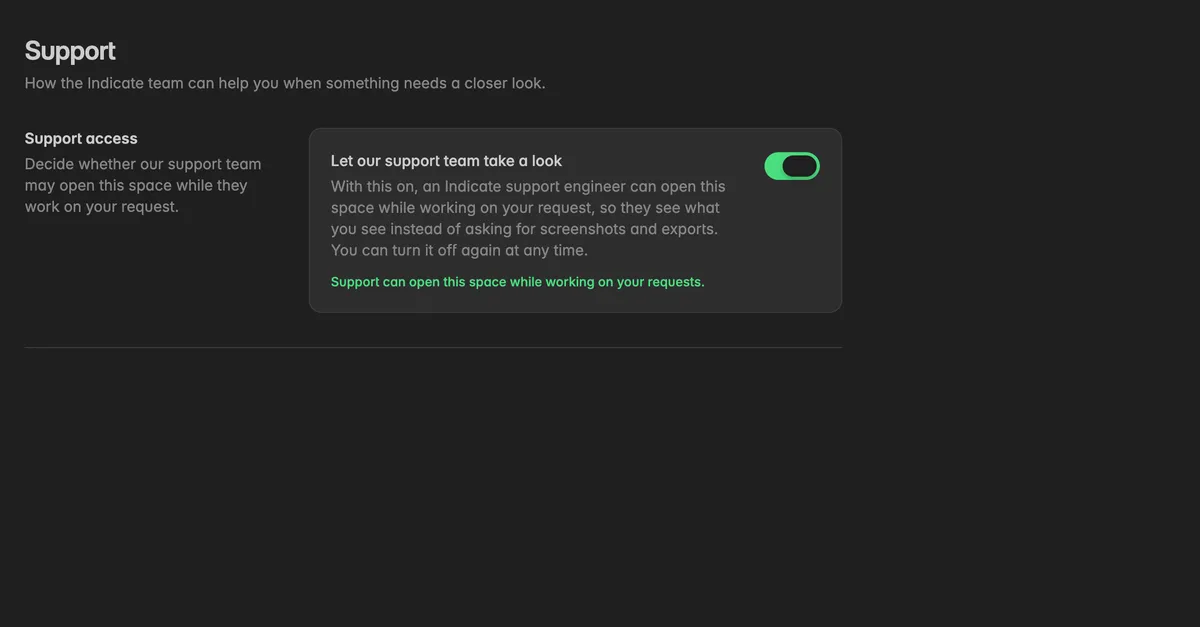
The Support page holds one switch: Support access. With it on, an Indicate support engineer can open your space while working on your request, so they see what you see instead of asking for screenshots and exports. You can turn it off again at any time.
Only Admins and the Owner can change it. Others see the page read-only with the note Only admins can change this.
Where do I find it?
Click the gear icon at the bottom of the left rail to open Settings.
Click Support near the bottom of the sidebar.
How do I let support take a look?
- On the Support page, switch on Let our support team take a look.
The switch saves immediately and the card confirms Support can open this space while working on your requests. Switch it off when the request is closed.
While it is on, a member of the Indicate team can appear in your member list with the badge Indicate. Their actions are recorded in the audit log like everyone else's.
Troubleshooting
The switch is greyed out
- Changing support access needs the Admin role.
Support says they cannot open my space
- The switch is off. Turn it on and tell them. It applies at once.
I want to give support access to one space only
- Support access is per space. Switch it on in the space the request is about and leave the others off.
Was this helpful?