
Export
Download CSV exports of your integrations and KPI collection usage.
What is the Export page?
The Export page gives you CSV files about your integrations, for reporting or for a review of what is connected. It is under Settings → Export, at the bottom of the settings sidebar.
There are two exports:
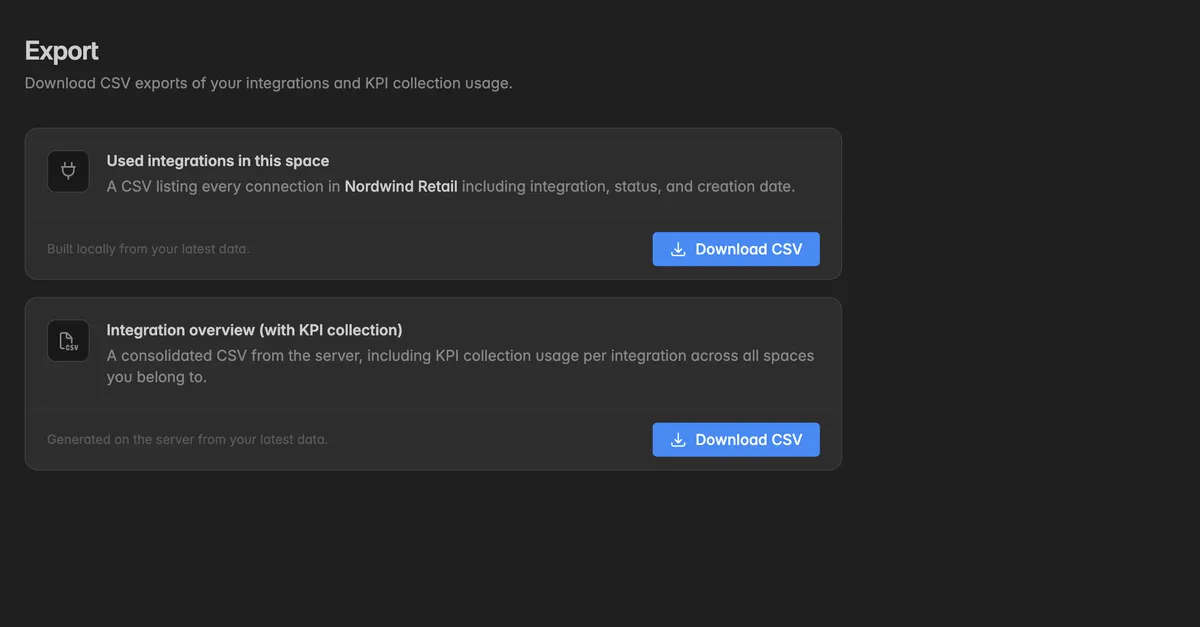
Used integrations in this space: every connection in the current space with its integration, status, and creation date. Built in your browser from the latest data.
Integration overview (with KPI collection): a consolidated file from the server with the KPI collection usage per integration, across all spaces you belong to.
How do I download an export?
Click the gear icon at the bottom of the left rail to open Settings.
Click Export at the bottom of the sidebar.
Click Download CSV on the export you need. The file is saved by your browser.
Below each button the page shows when you last exported.
Troubleshooting
The download does not start
Your browser blocks downloads from this site. Allow them and click again.
The page reads Could not build the connections export. or Could not download the integration overview. Try again in a moment.
I need the data itself, not the list of integrations
- Export a warehouse table from the Data page, or a dashboard from its menu. See Drop or truncate a warehouse table for where the table menu is.
Was this helpful?