
What are Resi's settings?
Resi, your AI agent, writes dashboard summaries, generates and edits dashboards and widgets, explains widgets, and answers in the chat. The page Settings → AI agent → Resi sets how she works across the space: Which model she runs on and which language she writes in.
None of these settings change the interface. Your own interface language and theme are under Personalization. For chatting with Resi, see Ask Resi.
Only Admins and the Owner can change these settings. Users see the page read-only. For Readers the entry is locked with the hint User role or higher, because Resi is available from the User role up. See Roles and permissions.
Where do I find it?
Click the gear icon at the bottom of the left rail to open
Settings.Under
AI agent, clickResi.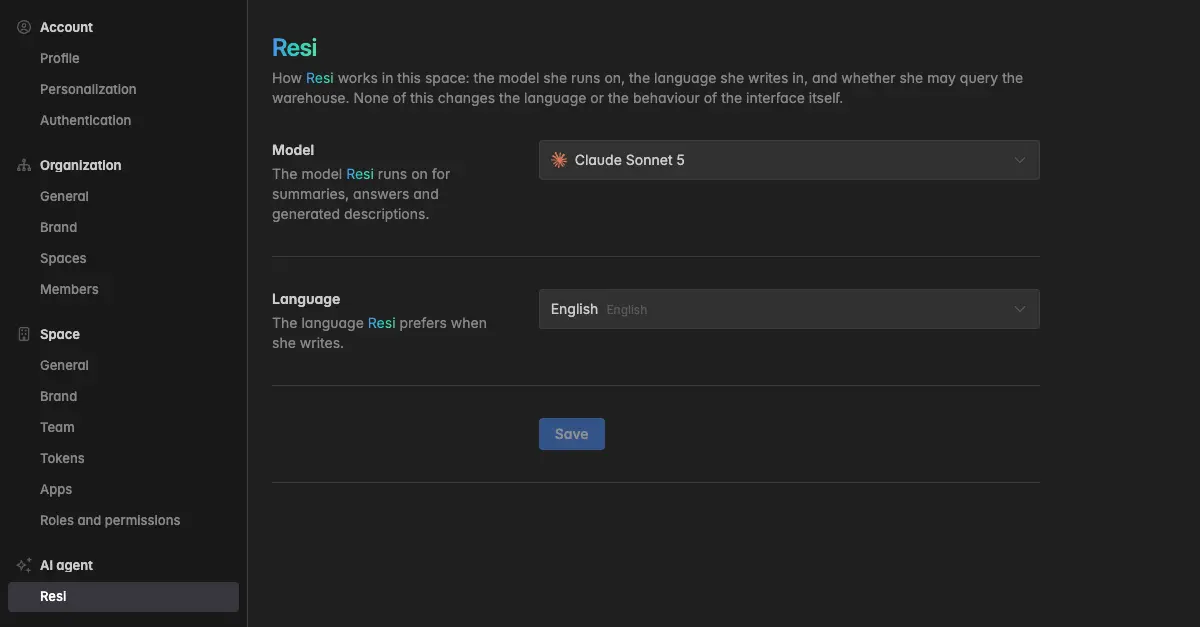
How do I pick the model?
Under Model, pick the model Resi runs on for summaries, answers, and generated descriptions. The list shows the available models with their provider. Models that are not available in your space are greyed out. Some models carry a discount badge, for example 10% off. Click Save.
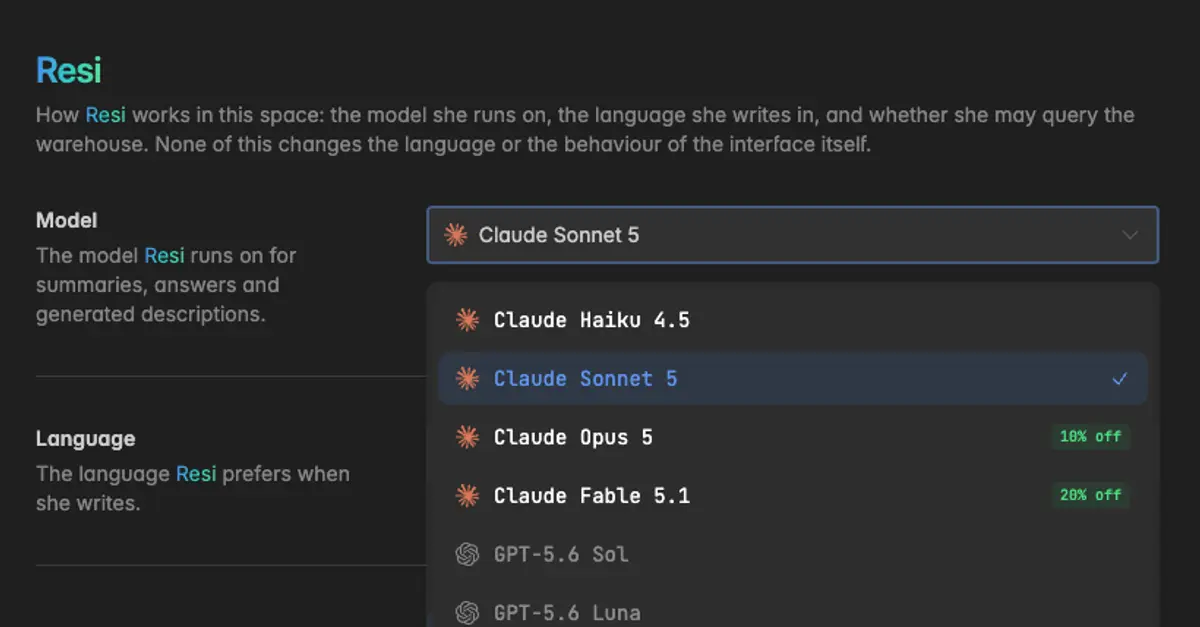
This is the default for the space. In a chat, everyone can still switch the model for that chat with the model chip below the question box, see Ask Resi.
Every AI call costs a share of the space's AI budget, and the cost per call depends on the model. A bigger model gives better answers on hard questions and costs more. The usage log under Settings → AI usage shows the model and the cost of every call. See AI usage.
How do I set the language Resi writes in?
Under Language, pick the language Resi should prefer when she writes, for example for summaries and generated descriptions. Search the list by name. Click Save.
This is a space setting. Everyone in the space gets summaries in this language, whatever their own interface language.
Troubleshooting
Save is greyed out
Nothing has changed, or you are not an admin. The page reads Only space admins can do this.
The entry Resi is locked in the settings
Your role is Reader. Resi and her settings are available from the User role up. Hover over the entry: User role or higher. Ask a space admin to change your role under
Settings→Team.
The summaries are still in the old language
Existing summaries are not rewritten. Regenerate the summary on the dashboard, new ones use the new language.
A model is greyed out
It is not available in your space. Pick one of the available models. Contact support if you need a specific one.
The AI features do not work at all
Check the AI budget of the space under
Settings→AI usage. When it is spent, every call is refused until the period resets. See AI usage.