
What does removing a member do?
Removing a member takes them out of this space. They lose access to its dashboards, data, and settings immediately. Their Indicate account stays, so they keep every other space they belong to, and you can invite them again at any time.
Only Admins and the Owner can remove members. You cannot remove yourself.
Note: To block someone temporarily without removing them, set their status to Locked instead. See Team.
How do I remove a team member?
Click the gear icon at the bottom of the left rail to open
Settings, then clickTeam.On the Members tab, hover over the member and click the
⋮icon at the right end of the row.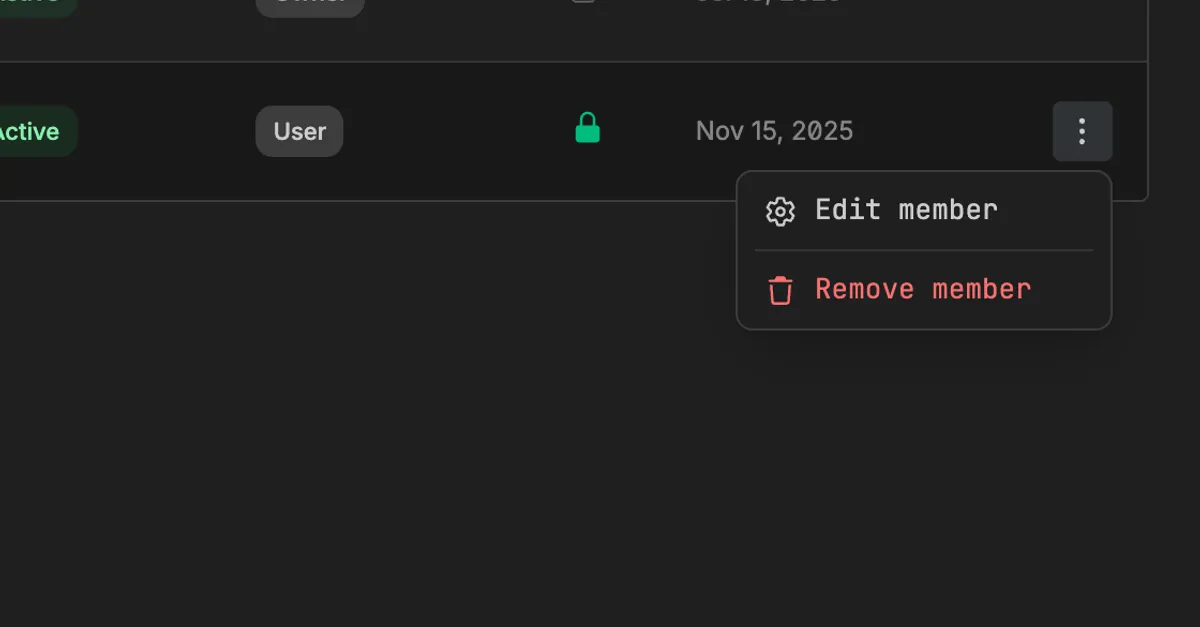
Click Remove member.
The dialog Delete member opens. Next to Member name, click Copy and paste the name into the confirmation field.
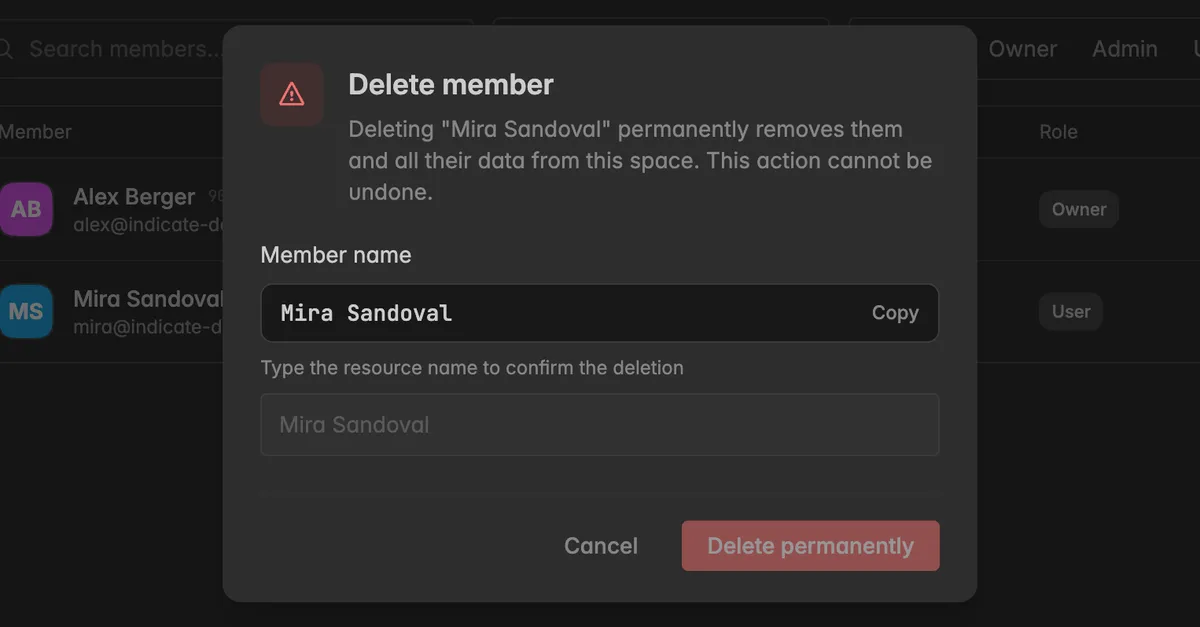
Click Delete permanently.
The member disappears from the list and the removal is recorded in the audit log under Users.
What happens to their work?
Dashboards, widgets, and projects they built stay in the space.
Agent tokens or API tokens assigned to them keep the permissions of that member, and that member no longer has any in this space. Revoke or reassign those tokens under
Settings→Tokens, see Tokens.Apps they connected through MCP lose their seat. See Apps.
Troubleshooting
Delete permanently stays greyed out
The name does not match. Click Copy next to Member name and paste it.
There is no ⋮ icon next to the member
Removing needs the Admin role, and the row must not be your own account.
The person still gets emails from Indicate
They are still a member of another space, or they have a pending invitation. Check the Invitations tab and revoke it if needed.
I removed the wrong person
Invite them again. See Invite a team member. Their role and tokens have to be set up again.