
Why is my hotel already a data company?
Every time a guest books, checks in, leaves a review, or opens a marketing email, your hotel creates data. Every campaign, every price change, and every shift in RevPAR is data too. So the question is not whether you have data. The question is whether you use it.
Your property management system (PMS) runs your daily operations. It often cannot answer strategic questions, such as which campaign drove which bookings. For that, the data from your systems has to come together in one place.
Why doesn't an AI assistant know my hotel yet?
Imagine asking an AI assistant: How is my occupancy this March compared to last year? The likely answer is that it has no access to that information. This is a data problem, not a technology problem.
AI tools are trained on public knowledge. Your booking data, your guest profiles, and your marketing performance are not public. Without a direct connection to your data, an AI assistant does not analyze. It guesses.
AI with your real data: It analyzes and answers.
AI without your real data: It guesses and can sound sure while being wrong.
Data locked inside separate systems helps nobody. It becomes useful when it flows to where decisions are made.
What does Indicate do with my hotel data?
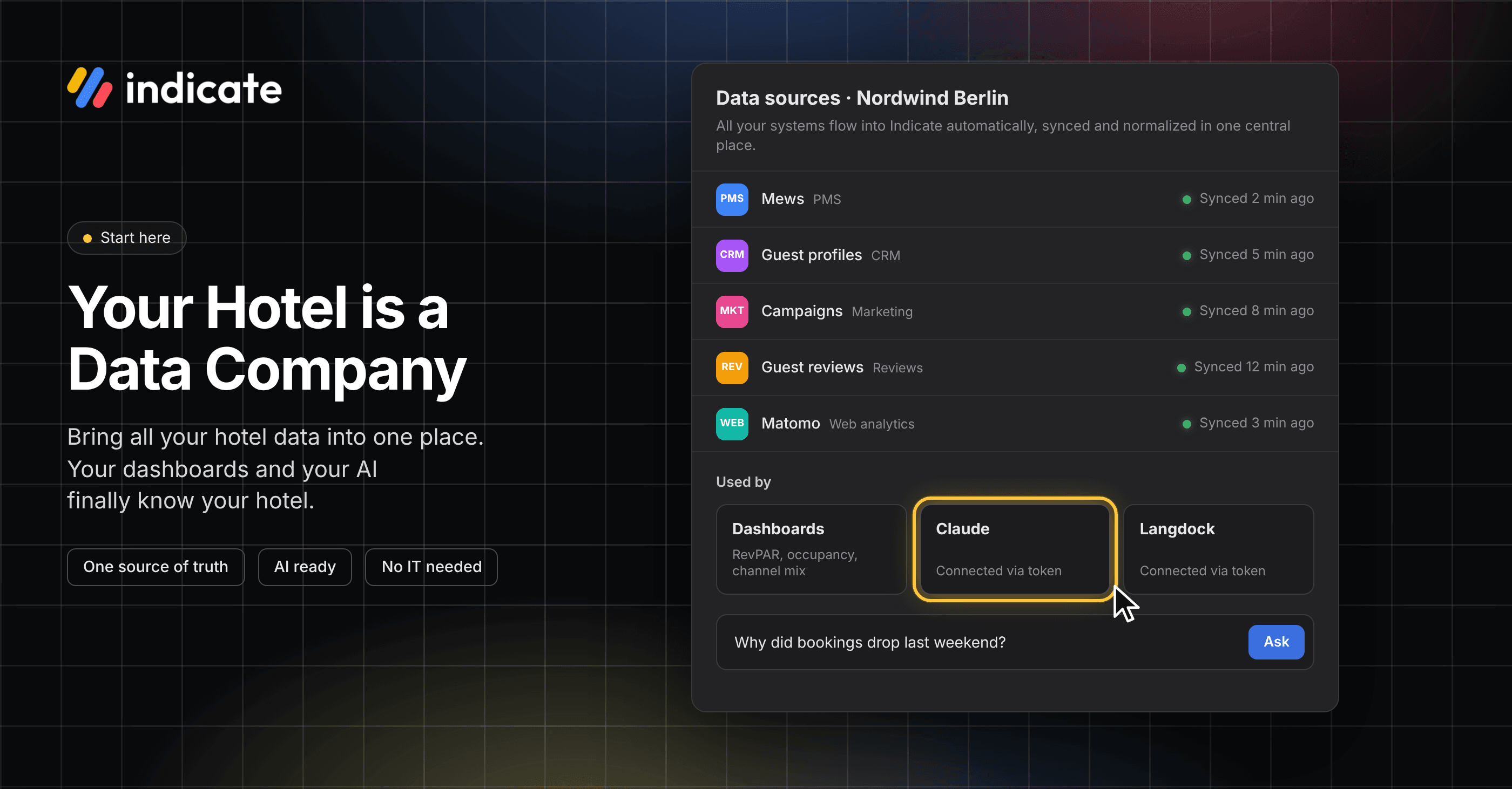
Indicate works like an operating system for your hotel data. It connects your data sources, so every dashboard, AI assistant, and report can use them without new infrastructure each time.
Indicate brings the data from your PMS, CRM, marketing platforms, review tools, and finance systems into one central place. Your data no longer lives in separate systems with their own logins, formats, and logic. It flows into Indicate on its own.
Your data stays yours, and you can reach it whichever systems you use in the future. If you change your PMS, your dashboards and AI assistants connect to Indicate, not to the PMS directly.
What can I do once my data is in Indicate?
Use dashboards right away: Indicate shows your connected data in dashboards. See your RevPAR, occupancy, marketing performance, and channel mix in one place. See Build your first dashboard.
Ask an AI that knows your hotel: Connect Indicate to AI assistants such as Claude or Langdock. Then ask Why did bookings drop last weekend? or Which guest segment spends the most? See Connect AI assistants to your data.
Ask across your systems: Questions can span several data sources, such as Why do I have high website traffic but low conversions? Indicate combines your web analytics with your PMS booking data, so you need no manual export.
Do I need an IT department for this?
No. Indicate takes care of connecting your systems, aligning their data formats, and keeping everything in sync. You can focus on what happened, why it happened, and what to do next.
Because your data lives in Indicate and not in a single tool, your whole team benefits. Marketing asks about campaigns, revenue management checks prices, and management reviews the weekly numbers. They all use the same source and ask in everyday language.
What happens when new AI tools come out?
AI tools change fast, and the limit is usually the data behind them. With your data in Indicate, you can connect a new tool without building anything again.
You also decide which data each AI can see, because you control the connection. See Connect AI assistants to your data.
Troubleshooting
Why does my AI assistant still say it has no access to my data?
- The AI assistant is not connected to Indicate yet. Connect it as described in Connect AI assistants to your data.
Why doesn't Indicate know the numbers from one of my systems?
- That system is not connected yet. Connect it as described in Connect your first data source.
Where do I start with Indicate?
- Follow the path that fits you in Start here.