
What does leaving a space do?
When you leave a space, you are no longer a member of it. You lose access to its dashboards, data and settings right away, and the space disappears from your list of spaces. For everyone else, the space and everything in it stay as they are.
Every role can leave a space: Reader, User and Admin.
To come back, an admin of the space has to invite you again. See Invite a team member.
Your other spaces and your Indicate account stay as they are.
To take someone else out of a space, see Remove a team member.
Before you start
A space always keeps at least one admin. If you are its last admin, give another member the role Admin first. See Team.
How do I leave a space?
You leave the space you are working in, either in its settings or from the space menu. Both ways open the same dialog.
As soon as you confirm, you can no longer open the space. Only a new invitation from an admin brings you back.
Option 1: In the settings
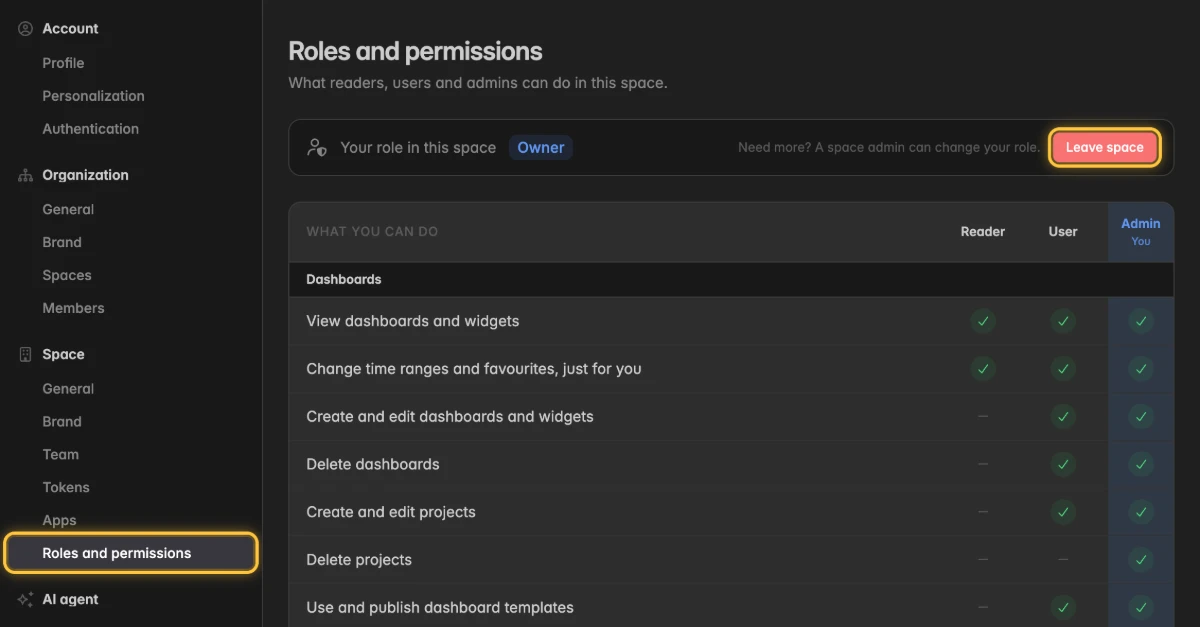
Click the gear icon at the bottom of the left rail and open
Settings→Space→Roles and permissions.Click Leave space in the box Your role in this space.
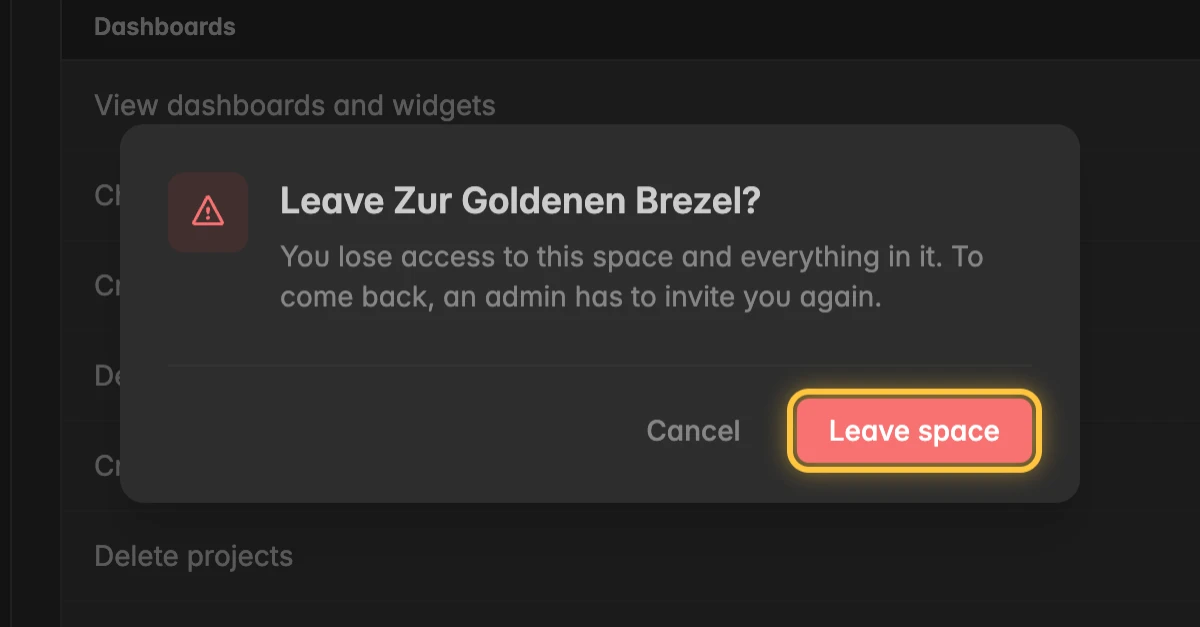
The dialog names the space, for example Leave Zur Goldenen Brezel?. Click Leave space.
Option 2: From the space menu
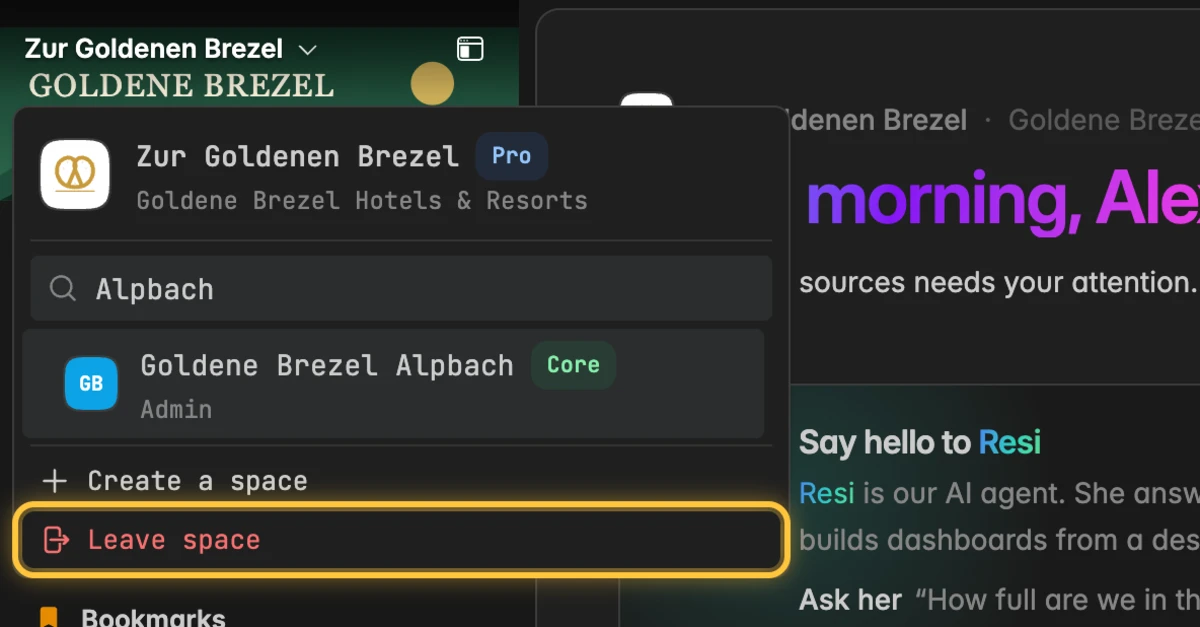
Click the name of your space at the top of the sidebar. The space menu opens with Search spaces and your spaces.
Click Leave space at the bottom of the menu.
In the dialog, click Leave space.
What happens after I leave?
A message confirms that you left, for example You left Zur Goldenen Brezel.
Indicate opens another space you are a member of.
If it was your last space, the page You're not in any space right now opens. Click Create a space to start a new one, Check again once an invitation has arrived, or Sign out. See Create a new space.
Troubleshooting
Why does Indicate say that I am the last admin?
A space always keeps at least one admin. The message reads You are the last admin of this space. Make someone else an admin before you leave. Open
Settings→Team, give another member the role Admin and leave the space again. See Team.
Why does Indicate say Could not leave the space?
The request did not go through. Reload the page and try again. If it keeps happening, contact support. See Support.
How do I get back into a space I left?
Ask an admin of the space to invite you again. The invitation arrives by email. See Invite a team member.