
Ask Resi your first question
Step 3 of the setup: ask Resi, your AI agent, a first question about your data and point her at the right Insights.
What happens in this step?
You ask Resi, your AI agent, a question about your data and get an answer in plain words, with the numbers and a chart behind it. Resi reads the same Insights your dashboards use, so her answers match your widgets. This is step 3 of 4 in Start here.
Resi is available from the User role up. Readers see the chat greyed out.
Every question uses a share of the space's AI budget. New spaces start with a free allowance, see AI usage.
Done when: you have an answer with figures from your own data.
How do I ask the first question?
Click the sparkles icon at the top of the left rail, or click Ask Resi on the Home page.
The page Ask Resi opens with suggested questions under Try asking, grouped by My hotel, Guests & bookings, Online marketing, and Prices & revenue. Click one, or type your own question into Your question.
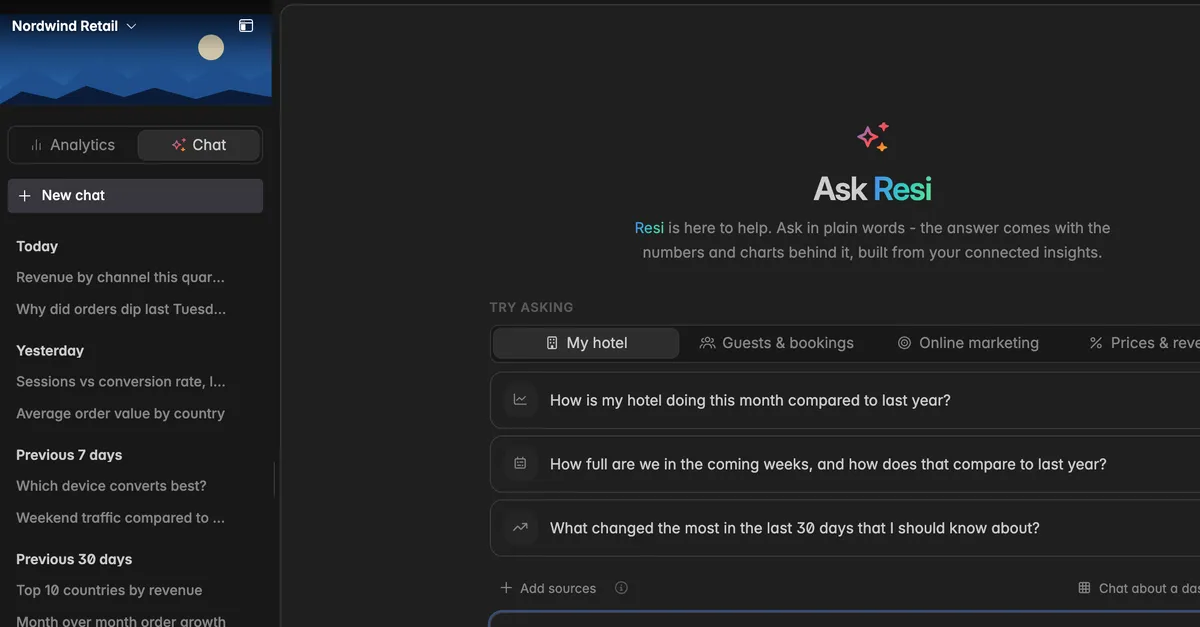
Press Enter.
Resi answers with a short text, the figures she used, and a chart where it helps.
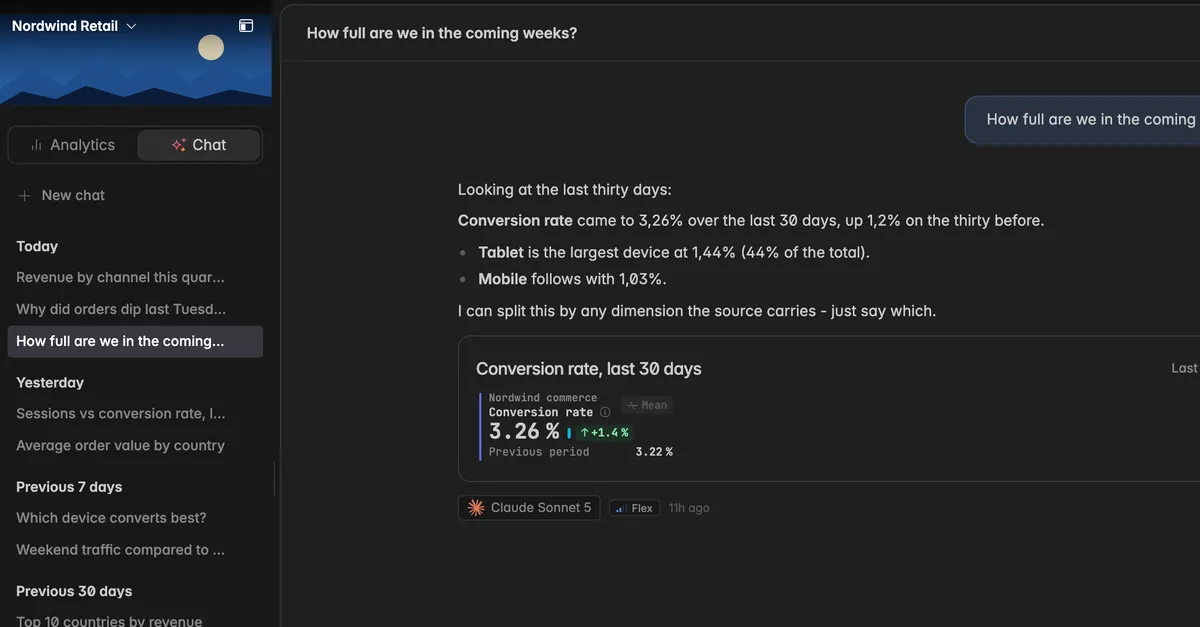
Tip: Name the period and the number you care about: "How was our occupancy last week?" works better than "How are we doing?". The more specific the question, the better the answer.
Good first questions
"How full are we in the coming weeks?"
"Which booking channel brought the most revenue last month?"
"How does our ADR this month compare with last year?"
"Where did our website visitors come from in the last 30 days?"
Resi only knows what your connected Insights hold. If a question is about a system you have not connected yet, she cannot answer it.
Point her at the right data
By default Resi picks the Insights that fit the question. For a precise answer, narrow her down:
Add sources below the question box: tick the Insights the chat is about.
Chat about a dashboard: pick one dashboard, the answers then draw on its widgets. Useful when a number on a dashboard surprises you.
Chats are personal, nobody else in the space sees them. The sidebar lists them by day, and New chat starts another one. Everything else, including picking the model, is in Ask Resi.
Note: Resi can be wrong. She reads the metric as it is defined, and she can misread a question. Check anything important before you act on it.
Next: Invite your team
Troubleshooting
The page says Resi can't talk to you - yet
- Your role is Reader. Resi is available from the User role up. Ask a space admin to change your role. See Roles and permissions.
Resi answers with the wrong numbers
- Click Add sources and pick the Insight the question is about. Name the period and the metric in the question. If the number is still off, check the metric itself, see Metrics.
The question is not sent
- The AI budget of the space is spent for this period, or the chat is still answering the last question. The message under the box tells you which. See AI usage.
Was this helpful?